100W 8-Port GaN Desktop Charger w/ Ambient Light
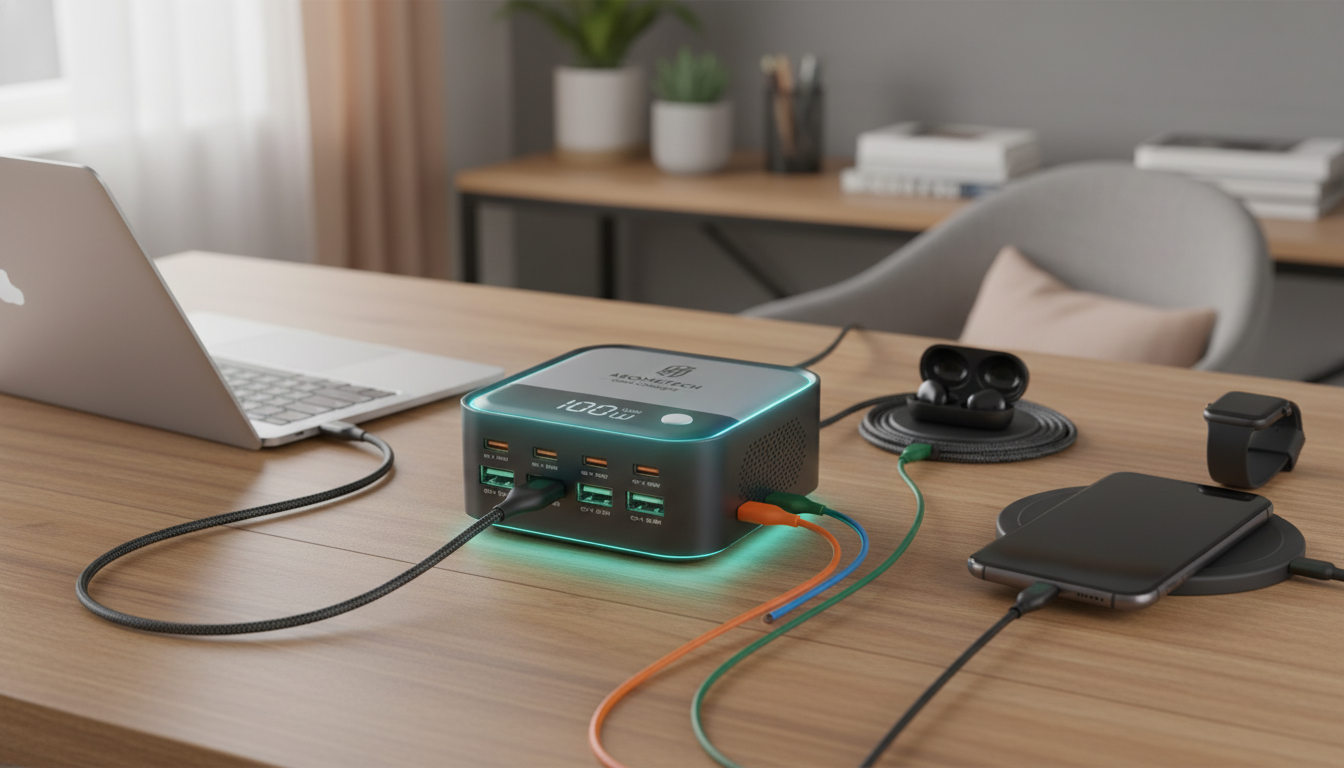
100W 8-Port GaN Desktop Fast Charger with Ambient Light Display
A single desktop charger can replace a tangle of adapters—especially when it can power a laptop, phone, tablet, earbuds, and accessories at the same time. This 100W 8-port GaN desktop charger combines USB-C and USB-A outputs with an ambient light display, making it a practical hub for nightstands, shared workstations, and family charging zones.
What Makes This Desktop Charger Different
Desktop charging gets noticeably easier when one hub can handle the mix of devices that pile up daily. This charger is built around three big ideas: plenty of ports, enough total output for higher-demand gear, and a form factor that stays put so cords don’t constantly get yanked in and out of a wall outlet.
- 8 total ports to keep multiple devices topped up from one outlet.
- Up to 100W total output for higher-demand devices like tablets and many USB-C laptops (depending on required wattage).
- GaN technology for a smaller, cooler-running design compared with many older silicon chargers.
- Ambient light display for at-a-glance status and a cleaner desktop experience in low light.
- Desktop form factor keeps cables organized and reduces wear from frequent plug/unplug cycles at wall outlets.
If you’re used to juggling a laptop brick, a phone fast charger, and a separate multi-USB adapter, consolidating to one stable hub can also make cable management simpler—especially on a desk with a monitor stand, docking station, or cable tray.
Ports, Power Sharing, and Real-World Charging Setups
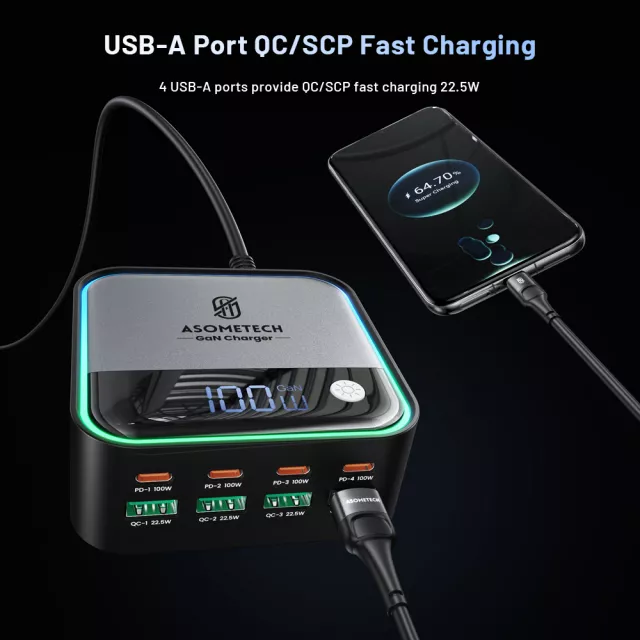
With a combination of USB-C and USB-A, the charger fits mixed-device environments: USB-C for newer phones, tablets, handheld consoles, and laptops; USB-A for legacy cables, older power banks, and smaller accessories. The most important expectation-setting detail is that the 100W budget is shared across all ports. When you connect several high-draw devices at once, each device may receive less than its maximum charge rate.
- Designed for mixed-device environments: USB-C for newer devices and USB-A for legacy cables.
- Total wattage is shared across ports; fastest results happen when fewer high-draw devices are connected.
- Workstation example: laptop on USB-C plus phone, earbuds, and a smartwatch on remaining ports.
- Family example: multiple phones and tablets charging simultaneously overnight without multiple bricks.
- Tip: prioritize USB-C for devices that support USB Power Delivery and reserve USB-A for accessories that don’t need high power.
Common Device Pairings and What to Expect
| Setup | Best For | Practical Notes |
|---|---|---|
| 1 laptop + 1 phone | Desk work, travel packing at home | Laptop performance depends on its required wattage; many ultrabooks charge well under a 100W total budget. |
| 2 tablets + 2 phones | Households and shared spaces | Staggering high-demand devices can improve charging speed if everyone plugs in at once. |
| 5–8 small devices (earbuds, phones, accessories) | Nightstand and kitchen counter charging station | Great for overnight charging where peak speed matters less than convenience. |
For day-to-day use, a simple routine helps: plug the highest-demand device (often a laptop or large tablet) into USB-C first, then add smaller devices. If charging feels slower than expected, unplug a high-draw device temporarily or move a phone from USB-C to USB-A when speed isn’t critical.
Ambient Light Display: Practical Benefits Beyond Looks
Ambient lighting on a charger isn’t just for style points. In real rooms—especially bedrooms and shared desks—it can make charging status easier to read without craning around to find tiny LEDs or guessing whether a cable is seated properly.
- Easier to confirm the charger is powered on without hunting for tiny indicator LEDs.
- Helps identify whether a port is actively charging or idle (behavior varies by model implementation).
- Useful for bedside charging without turning on brighter room lights.
- Adds a tidy “hub” feel that fits modern desk setups and cable-management trays.
- If used in a dark bedroom, placing the unit slightly below eye level can reduce distraction from light spill.
Safety, Compatibility, and Cable Tips
For a deeper look at how modern USB-C charging negotiates power levels, the USB-IF’s overview of USB Power Delivery is a helpful reference: USB Power Delivery (USB PD) Specification Overview. If you’re curious why GaN chargers tend to be compact and efficient, this primer is a solid starting point: GaN power semiconductor basics.
Where It Fits Best: Desk, Nightstand, and Shared Spaces
Quick Specs Snapshot
Product Details
| Item | Detail |
|---|---|
| Product | 100W 8-Port GaN Desktop USB-C & USB Fast Charger with Ambient Light Display |
| Price | $38.51 USD |
| Availability | In stock |
| Category | Chargers |
Other In-Stock Picks to Round Out Your Setup
- Crystal Moon & Star Car Vent Clips for a simple interior upgrade while your phone stays charged on the road.
- Spring Plaid Wide Padded Headband – Chic Cotton Blend Hair Accessory for a quick, polished look when heading out.
FAQ
Can a 100W desktop charger power a USB-C laptop?
Many USB-C laptops can charge from a 100W source, but it depends on the laptop’s required wattage and USB Power Delivery support. Some higher-end models may need more than 100W for full-speed charging or may charge more slowly under heavy use.
Will all ports fast-charge at the same time?
Total power is shared across ports, so charging speed can drop when several devices draw power simultaneously. The more high-demand devices you plug in at once, the more likely each one is to charge below its maximum rate.
Does the ambient light stay on all the time?
Light behavior varies by model and may indicate power, charging activity, or general status. If you use it in a bedroom, placing the charger farther away or slightly below eye level can help reduce perceived brightness.















Leave a comment