Stable 360° Rotating Aluminum Stand for Phone & Tablet
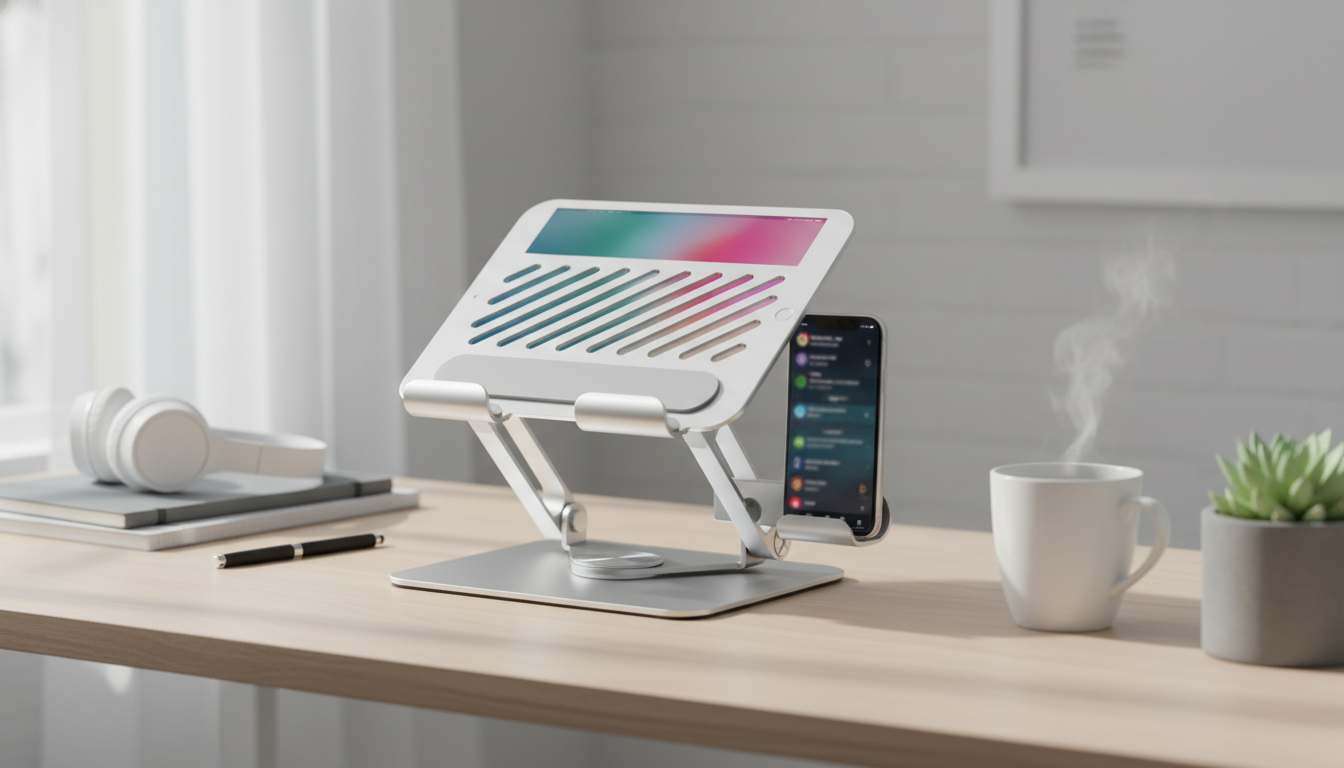
360° Rotatable Aluminum Tablet & Phone Stand: Stable Viewing at Any Angle
A rotatable aluminum stand can turn a phone or tablet into a comfortable, hands-free screen for calls, reading, recipes, or desk work. The right one should feel steady when you tap, rotate smoothly without drifting, and keep your device at a natural viewing height. Below is a practical breakdown of what matters most—stability, rotation, viewing angles, and everyday usability—so it’s easy to decide whether a 360° aluminum stand fits your setup.
What This Stand Helps With Day to Day
A dedicated stand sounds simple, but it can change how (and how long) a device is used without discomfort. When your screen is supported at a consistent angle, small annoyances—like constant repositioning or shaky video calls—tend to disappear.
- Keeps screens closer to eye level to help reduce neck strain during longer viewing sessions.
- Makes video calls steadier and more flattering by maintaining a consistent angle.
- Supports hands-free tasks like following recipes, watching tutorials, or reading.
- Improves desk organization by creating a dedicated spot for a phone or tablet.
- Useful for shared viewing—rotate the screen toward someone without moving the base.
Why Aluminum and a Rotating Base Matter
Materials and mechanics are the difference between a stand that feels “fine” and one that feels locked-in. Aluminum designs typically offer a more rigid body than many plastics, which can translate to less wobble when you scroll, tap, or type on a tablet screen.
- Aluminum bodies often feel more solid than plastic, helping reduce shake during on-screen tapping.
- A weighted metal base can increase stability on smooth desks, nightstands, or counters.
- 360° rotation makes it easy to switch between portrait and landscape, or turn the device toward someone nearby.
- Metal stands can dissipate heat better than thick plastic holders, which may help during charging or streaming.
- Look for smooth rotation that stays put at the chosen angle rather than slowly drifting back.
For workstation comfort, it also helps to think about how a stand supports neutral posture. General ergonomics guidance (including monitor and viewing recommendations) is available from NIOSH.
Fit and Compatibility Checklist
Compatibility is more than “does it hold my phone.” A stand should support your device size without tipping, accommodate a case if you use one, and still leave room for charging cables.
- Device size: confirm the cradle supports both phones and larger tablets without tipping forward.
- Case-friendly clearance: thicker protective cases may need a wider lip or a more open cradle.
- Cable access: ensure the charging port remains accessible while the device is seated.
- Surface grip: non-slip pads help prevent sliding and protect desk surfaces.
- Orientation flexibility: verify it holds steady in portrait and landscape modes.
| Check | Why it matters | What to look for |
|---|---|---|
| Tablet stability | Large screens shift weight forward | Wide base and firm hinge/arm support |
| Phone in portrait | Common for calls and social apps | Secure cradle that doesn’t pinch buttons |
| Phone in landscape | Best for video and games | Rotation that holds position without wobble |
| Charging while docked | Avoids removing the device repeatedly | Open port area and cable clearance |
| Case thickness | Bulky cases can prevent seating | Enough lip depth or adjustable fit |
If you use iOS or Android devices with accessories, basic handling and compatibility guidance can be found via Apple Support and Android Help.
Comfort, Angle Control, and Ergonomics
Rotation is most useful when it’s paired with tilt or angle adjustment. Together, they let you fine-tune screen position for comfort, glare control, and task-specific posture.
- A good stand allows micro-adjustments that reduce glare from overhead lights or windows.
- Rotation becomes more practical when combined with tilt, so you can keep the screen closer to eye level.
- For typing on a tablet, a slightly lower angle can reduce wrist extension and feel more natural.
- For watching content, a higher angle can reduce neck bending—especially on low desks or bedside tables.
- For kitchen use, prioritize easy-to-wipe surfaces and stable footing on slick counters.
Where It Shines: Desk, Kitchen, Bedside, and Travel
A stable, rotatable stand is one of those items that migrates around the house because it works in multiple zones.
360° Rotatable Aluminum Tablet & Phone Stand (Product Spotlight)
For a clean, stable home-and-office setup, the 360° Rotatable Aluminum Tablet & Phone Stand is built for hands-free viewing across both phones and tablets. The aluminum construction aims for a sturdy, premium feel on desks and counters, while 360° rotation makes screen sharing and quick portrait/landscape switching feel effortless.
| Item | Detail |
|---|---|
| Product | 360° Rotatable Aluminum Tablet & Phone Stand |
| Price | $49.51 USD |
| Availability | In stock |
| Category | Gadgets |
| Link | View product |
Small add-ons that pair nicely
- Crystal Moon & Star Car Vent Clips for a quick interior refresh.
- Spring Plaid Wide Padded Headband for a neat, put-together look during calls.
- Retro Corduroy Hair Scrunchies & Headbands for comfortable, low-fuss styling.
Care Tips for Long-Lasting Stability
FAQ
Will a 360° rotatable stand stay in place when tapping the screen?
It depends on base weight, hinge tension, and non-slip pads. Heavier aluminum stands typically reduce wobble, but very large tablets or aggressive tapping can still cause some movement.
Can a tablet stand be used while charging?
Many stands allow charging as long as the cradle leaves enough port clearance. Check that your device can sit fully with the cable connected, especially if you use a thick case or an angled connector.
Is aluminum safe for desks and countertops?
Yes, as long as the stand has rubber or silicone pads where it contacts the surface and device. Keeping the desk/counter clean also helps prevent grit from getting trapped and causing marks.















Leave a comment