Rechargeable Vertical Mouse: Bluetooth + 2.4G Comfort
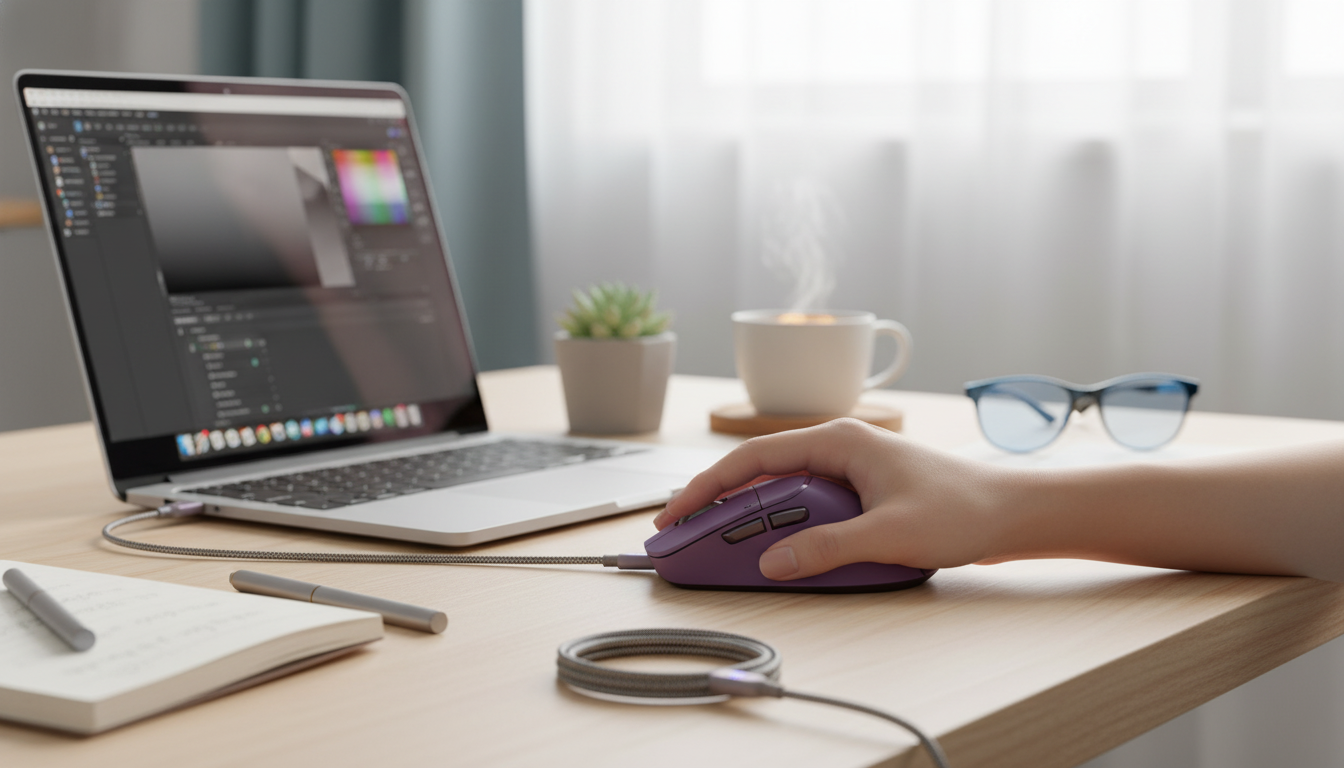
Ergonomic Wireless Vertical Mouse (Rechargeable) with Bluetooth 5.0/3.0 & 2.4G
A vertical mouse can reduce forearm twisting compared with a traditional flat mouse, helping support a more neutral wrist and hand position during long work sessions. This rechargeable model combines Bluetooth (5.0/3.0) and a 2.4G USB receiver for flexible, low-clutter setups across laptops, tablets, and desktops—useful when you’re moving between a home office, a shared workspace, and travel.
Why a Vertical Mouse Feels Different
The biggest change with a vertical mouse is the angle of your hand. Instead of flattening your palm toward the desk, the mouse encourages a more “handshake-like” posture that may feel more natural during extended mousing.
- Positions the hand in a more handshake-like posture, which can help reduce wrist pronation (palm-down rotation).
- Encourages lighter gripping for some users because the shape supports the hand more fully.
- Often pairs well with a slightly lower mouse sensitivity at first to keep movements controlled while adapting.
- An adjustment period is normal; many users feel fully comfortable after several days of regular use.
For general ergonomics fundamentals—like keeping joints closer to neutral and avoiding awkward angles—practical references include OSHA’s Computer Workstations eTool and broader posture principles from NIOSH ergonomics guidance.
Connectivity Options for Multi-Device Workflows
Wireless convenience isn’t just about losing the cord; it’s about staying connected across devices without extra hassle. With both Bluetooth (5.0/3.0) and 2.4G wireless via USB receiver, it’s easier to fit the mouse into different setups.
- Bluetooth 5.0/3.0 can connect directly to compatible devices without occupying a USB port.
- 2.4G wireless mode uses a USB receiver for a straightforward plug-and-play desktop connection.
- Bluetooth mode is convenient for travel, tablets, and ultrabooks; 2.4G can be ideal for stable everyday desktop use.
- For best results, keep the receiver within a clear line of sight and avoid placing it behind large metal objects or hubs when possible.
Bluetooth vs 2.4G Wireless at a Glance
| Mode | What You Need | Best For | Trade-Offs to Consider |
|---|---|---|---|
| Bluetooth 5.0/3.0 | Built-in Bluetooth on the device | Laptops/tablets, fewer dongles, travel | May require pairing steps; performance can vary with crowded wireless environments |
| 2.4G USB Receiver | USB-A port (or adapter) | Desktops, quick setup, consistent use | Uses a USB port; receiver must be kept track of |
Rechargeable Convenience and Daily Use
Rechargeable mice simplify routine work because there’s no last-minute scramble for fresh batteries. A predictable top-up routine can keep your desk running smoothly, especially during busy weeks.
- Rechargeable operation reduces ongoing battery purchases and keeps the mouse ready for routine work.
- A consistent charging habit (for example, topping up during breaks) helps prevent unexpected downtime.
- For smoother tracking, use a mouse pad or a consistent surface; glossy or highly reflective surfaces can reduce sensor reliability.
- If the mouse supports adjustable DPI, start at a moderate setting and fine-tune based on screen size and preferred cursor speed.
If you’re transitioning from a traditional mouse, consider temporarily lowering your pointer speed for precision. After the new grip feels automatic, you can raise sensitivity again to match your workflow.
Comfort Fit: Hand Size, Grip Style, and Desk Setup
Ergonomics isn’t one-size-fits-all—comfort depends on how the mouse fits your hand and how your workstation supports relaxed, repeatable movement.
- Hand size matters: a vertical shape should let the palm rest naturally without forcing the fingers to overextend.
- Grip styles (palm, claw, fingertip) can all work, but palm and relaxed claw grips tend to feel most natural on vertical mice.
- Pair with good desk ergonomics: keep the mouse close to the keyboard and elbows relaxed at the sides.
- Consider wrist and forearm support: a soft wrist rest can help for some setups, while others prefer free movement without a rest.
A quick checkpoint: when your hand is on the mouse, your wrist should feel “unbent,” and your shoulder shouldn’t creep upward. Small changes—like bringing the mouse 2–3 inches closer—often make a bigger difference than expected.
Getting Started: Setup and Quick Troubleshooting
Most connection issues come down to pairing steps, USB port choice, or surface/signal problems. A simple start-up routine helps get consistent performance.
Product Snapshot
Current Listing Details
| Item | Detail |
|---|---|
| Product | Ergonomic Wireless Vertical Mouse – Rechargeable Bluetooth 5.0/3.0 & 2.4G |
| Price | 53.82 USD |
| Availability | In stock |
| Category | Gadgets |
More In-Stock Picks for a Put-Together Workday
- Spring Plaid Wide Padded Headband – Chic Cotton Blend Hair Accessory
- Retro Corduroy Hair Scrunchies & Headbands – Large, Soft & Stylish
FAQ
Does a vertical mouse help with wrist discomfort?
A vertical design can support a more neutral wrist and forearm position for some people, which may improve comfort during long sessions. Results vary based on hand fit, grip style, and overall workstation setup, so it’s best to transition gradually and fine-tune your desk posture.
Should Bluetooth or 2.4G wireless be used for everyday work?
Bluetooth is great when you want to keep USB ports free or use a mouse with a laptop or tablet on the go. A 2.4G USB receiver is often the simplest choice for a desktop because it’s plug-and-play and can be very consistent—just keep the receiver positioned to avoid interference.
How long does it take to get used to a vertical mouse?
Many users adapt in a few days, while others prefer a week or two depending on daily hours and tasks. Shorter sessions at first, a slightly lower cursor speed, and a relaxed grip can make the adjustment feel smoother.
















Leave a comment