360° Rotating Magnetic Phone Stand for MagSafe & Android
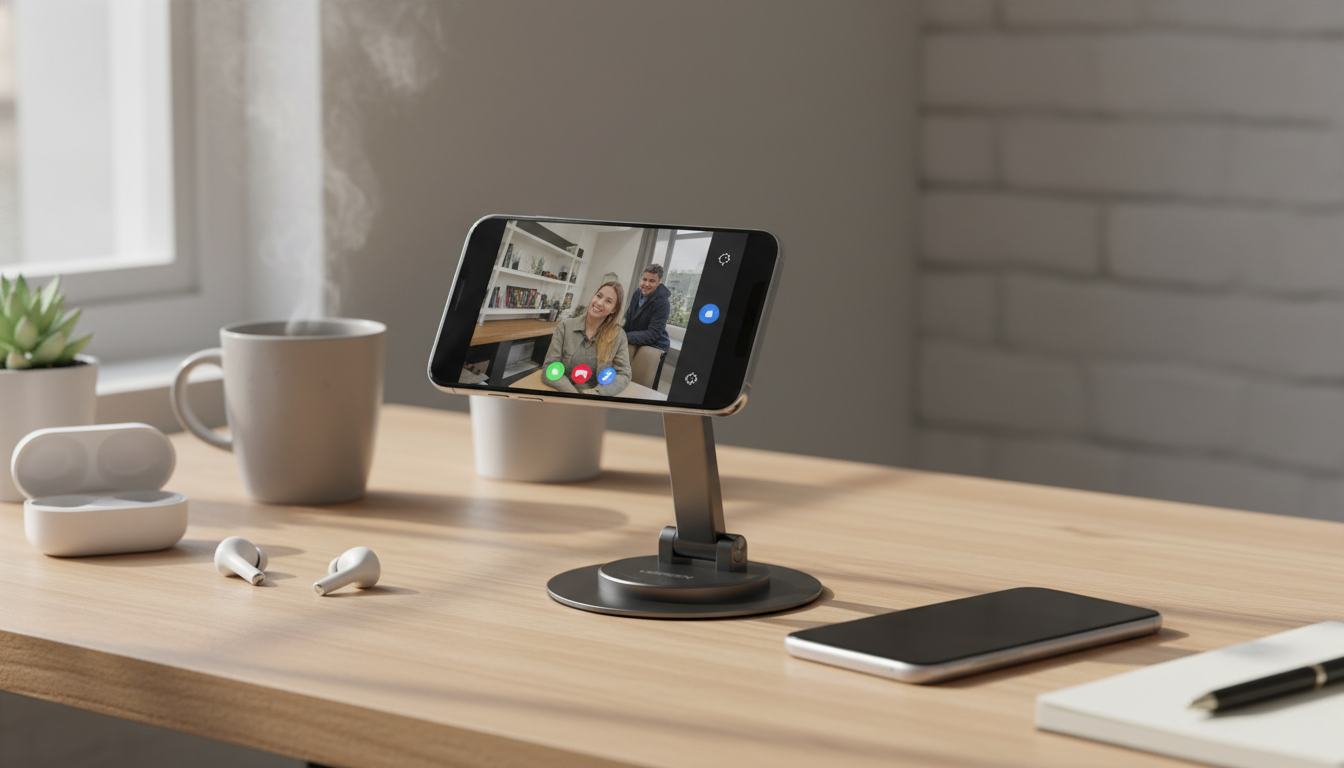
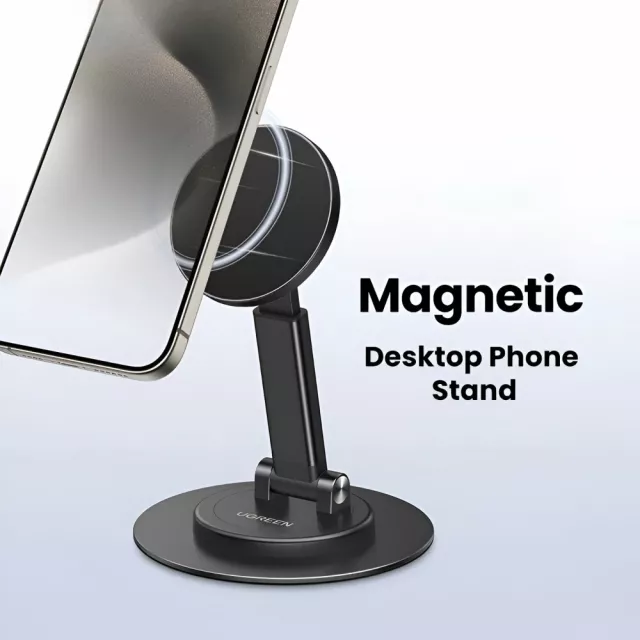
360° Rotating Magnetic Phone Stand for MagSafe iPhone, Samsung & More
A rotating magnetic phone stand keeps a phone stable, visible, and easy to reposition—whether it’s propped on a desk for video calls, angled on a nightstand for a clock view, or used in the kitchen for recipes. This style pairs a strong magnetic hold with full 360° rotation, so it’s simple to switch between portrait and landscape without fumbling with clamps. For more guidance, see Amazon Best Sellers: Best Cell Phone Automobile Cradles.
What This Stand Does Best
- Holds compatible phones magnetically for quick attach-and-remove convenience.
- Rotates 360° to switch between portrait and landscape in seconds.
- Supports comfortable viewing angles for calls, streaming, reading, and notifications.
- Keeps the phone elevated and accessible on desks, counters, and bedside tables.
- Reduces hand strain by creating a stable hands-free setup for everyday tasks.
Key Features to Look For in a Rotating Magnetic Stand
- Rotation mechanism: Smooth, controlled turning that stays put after adjustment. A good rotating joint shouldn’t “free spin” when you tap the screen.
- Magnetic alignment: Consistent placement so the phone sits centered and doesn’t wobble. Centered contact is the difference between a steady display and a slow tilt over time.
- Base stability: A footprint that resists tipping when you interact with the phone. If you often type or scroll, this matters as much as magnetic strength.
- Surface contact: Pads or grips that help prevent sliding and protect furniture. Look for a base that stays planted on smooth desks and counters.
- Everyday durability: Hinge/rotation parts that feel solid for repeated repositioning—especially if you rotate multiple times a day.
- Case compatibility: Best results with MagSafe cases or magnetic rings for non-MagSafe phones (Android and older iPhones).
Compatibility Notes for iPhone, Samsung, and Other Phones
Magnetic stands are straightforward when the phone (or case) is designed for MagSafe-style alignment. iPhone MagSafe models typically snap on quickly and center themselves. For Samsung and other Android devices, a MagSafe-compatible case or a properly placed adhesive magnetic ring on your case usually delivers the best experience. For further reading, see Rotating Phone Stand Upgraded MagSafe Suction Cup Mount.
- MagSafe iPhone models typically attach directly and align easily for a secure hold.
- Samsung and other Android phones can work well with a MagSafe-compatible case or an adhesive magnetic ring (often placed on the back of the case).
- Thick cases, textured backs, or wallet attachments can reduce magnetic strength and stability.
- For best performance, keep the contact area clean and free of dust that can introduce tilt or slipping.
- If using a magnetic ring, center placement matters for balance—especially in landscape orientation.
Quick Compatibility Checklist
| Phone/Case Setup | Will It Attach? | Best Tip |
|---|---|---|
| iPhone with MagSafe case | Yes | Snap on and rotate to fine-tune viewing angle |
| iPhone with non-MagSafe case | Maybe | Use a MagSafe-compatible case for stronger hold |
| Samsung/Android with MagSafe-compatible case | Yes | Confirm ring alignment for stable landscape viewing |
| Samsung/Android with standard case | With magnetic ring | Attach an adhesive ring centered on the case |
Everyday Setups: Desk, Nightstand, Kitchen, and Travel
- Desk/workstation: Keep the phone upright for messages, calendar pings, and quick video meetings. Rotation makes it easy to switch to landscape for presentations or long videos.
- Nightstand: Angle the screen for bedside clock mode or hands-free calls. Depending on your charging cable setup, you can often route the cord so it doesn’t interfere with the stand.
- Kitchen counter: Rotate to landscape for recipe videos and timers. A stand helps keep the phone readable and slightly away from spills and splashes.
- Workout area: Place the stand where it’s easy to glance at timers and routines without picking up the phone with sweaty hands.
- Travel and hotel stays: Create a compact viewing station for streaming or calls when you don’t have a convenient TV setup.
How to Get the Most Stable Hold
When a Rotating Magnetic Stand Is a Better Choice Than a Clamp Stand
Product Spotlight: 360° Rotating Magnetic Phone Stand
If the goal is an easy, adjustable setup without bulky clamps, the 360° Rotating Magnetic Phone Stand for Magsafe iPhone, Samsung & More is built for quick magnetic docking and smooth rotation throughout the day. It’s especially convenient for MagSafe iPhone models and MagSafe-compatible cases, helping keep your screen visible for calls, content, and at-a-glance notifications.
For travel-friendly add-ons, consider small accessories that help personalize your setup without taking up much space, like Crystal Moon & Star Car Vent Clips for a bit of style on the road.
Safety and device guidance
Modern phones and accessories are generally designed with everyday magnetic attachments in mind, but it’s still smart to follow brand guidance for your specific device and case. For more detail, see Apple Support — Use MagSafe accessories with iPhone and Samsung Support — Device care and accessory guidance. For broader wireless device best practices, the FCC — Wireless devices and recommended safe-use practices is a helpful reference.
FAQ
Will this work with Samsung phones?
Yes, typically with a MagSafe-compatible case or an adhesive magnetic ring applied to the back of your case. Very thick cases or textured materials can reduce holding strength, so a flatter contact area usually performs best.
Can it rotate between portrait and landscape without slipping?
It’s designed for 360° rotation, and the most stable results come from centering the phone on the magnet and placing the stand on a flat, non-slippery surface. If you notice drift, re-check alignment and remove any bulky accessory between the phone and the magnet.
Is it safe for the phone’s camera and electronics to use magnetic stands?
Most modern smartphones are built to handle magnets used for common accessories. As a precaution, keep magnets away from magnetic stripe cards and follow any device or case recommendations if you have specific concerns.















Leave a comment