Precision Microfiber Swab Kit for Optics & Electronics
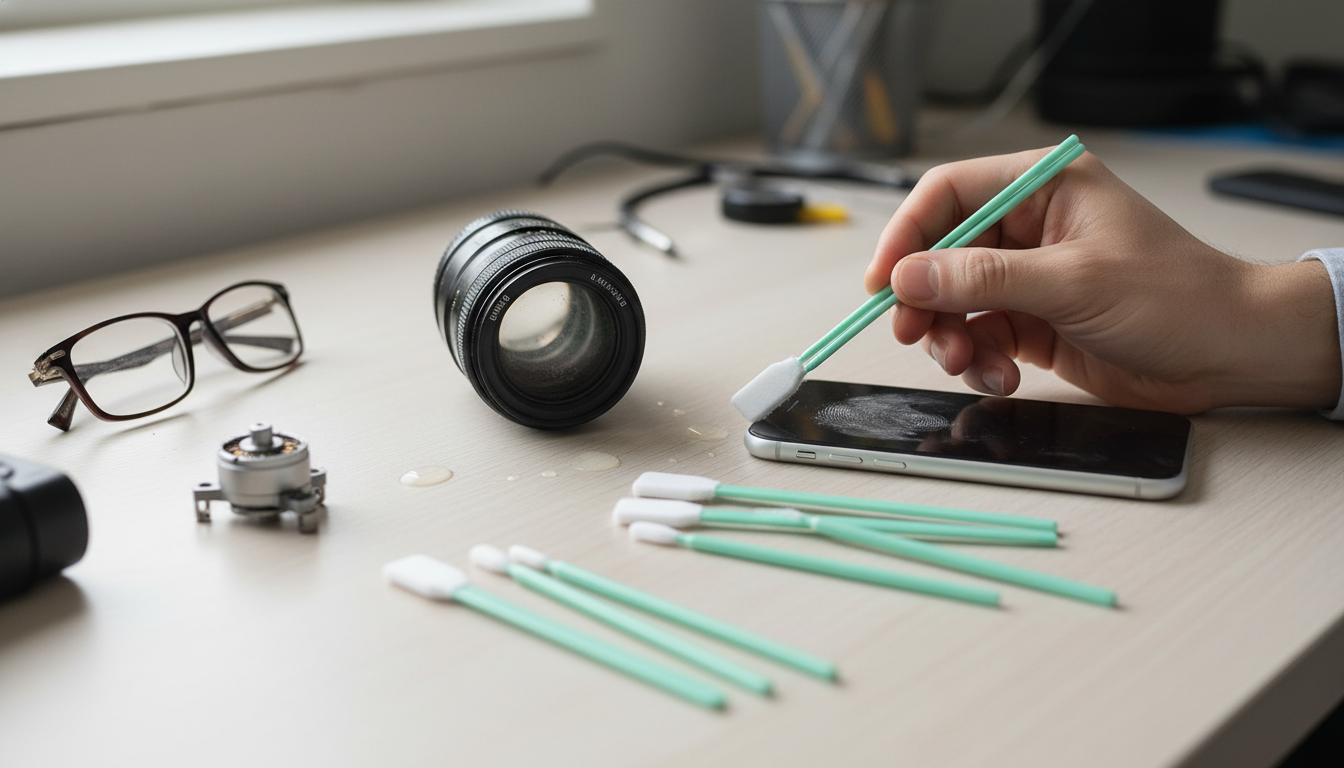
Precision Microfiber Cleaning Swab Kit for Optics, Electronics & Detailing
Precision cleaning swabs make it easier to reach tight corners, seams, and sensitive surfaces without leaving lint behind. A microfiber swab kit is built for careful, controlled cleaning on items like camera lenses and filters, screens and connectors, and detailed interior areas in vehicles where cloths are too bulky. When used with light pressure and the right cleaner, microfiber tips help lift dust and oils while keeping contact focused exactly where you need it. For more guidance, see Foam Cleaning Swab Sticks, Large Rectangular Tips, 5.25.
What a precision microfiber swab kit is used for
- Targeted cleaning where fingers and full-size cloths can’t reach: edges, grooves, ports, and small housings
- Gentle pickup of dust, smudges, and residue on delicate finishes when used with light pressure
- Better control for spot-cleaning compared with wipes, towels, or loose cotton swabs
- Helpful for both quick touch-ups and step-by-step detailing routines
If you’ve ever tried to clean a viewfinder corner, the seam around a screen, or the narrow edge of a trim piece, you’ve seen the main advantage: the tip reaches the problem area without dragging a larger cloth across surrounding surfaces. That “small contact patch” is also why swabs are useful for controlled use of cleaning fluid—less chance of over-wetting and less cleanup afterward. For further reading, see 300PCS Foam Cleaning Swabs – Microfiber Tip Detailing Sticks For ….
Where these swabs help most: optics, electronics, and detailing
- Optics: lens exteriors, filter rings, eyecups, viewfinder areas, and hard-to-reach crevices around controls (avoid internal elements unless trained)
- Electronics: around buttons, seams, vents, peripheral edges, and exterior connectors (use appropriate solvent guidance for the device)
- Automotive detailing: vents, trim seams, around infotainment bezels, emblem edges, cupholders, and stitching lines
- Hobby and workshop: watches, tools, keyboard edges, game controllers, and precision housings
Common surfaces and safe-use notes
| Surface / area | Best approach | What to avoid |
|---|---|---|
| Camera lens exterior / filter | Blow off grit first, then light swab strokes from center outward; use a compatible lens-cleaning fluid sparingly if needed | Dry rubbing over grit; flooding liquid near lens edges |
| Phone/tablet screen | Use minimal pressure; swab edges and speaker areas carefully; finish with a clean microfiber cloth if desired | Abrasive cleaners; excessive moisture near openings |
| Charging ports / connectors (exterior) | Keep device powered off; dry swab for dust; use solvent only if manufacturer permits | Metal tools; soaking the port; forcing the swab |
| Car vents / interior seams | Use dry swab for dust; lightly dampen for stuck grime; follow with a dry pass | Over-wetting; aggressive scrubbing on soft-touch coatings |
| Jewelry/watch exteriors | Dry swab for crevices; lightly dampen for residue; dry immediately | Unknown chemicals on plated finishes; forcing into tight mechanisms |
Why microfiber tips matter for delicate cleaning
- Low-lint cleaning helps reduce fibers left behind on glass, glossy screens, and polished trim
- Microfiber can lift fine dust and oils more effectively than many standard cotton tips
- Soft tip surface helps lower the chance of micro-scratches when used correctly
- Consistent tip shape supports repeatable, controlled passes on small targets
Microfiber works by grabbing fine particles and oils rather than pushing them around. That matters most on high-visibility surfaces—lens glass, coated filters, glossy displays, piano-black interior trim—where leftover lint or a smeared haze is immediately obvious. Just as important, microfiber swabs are designed for consistency: a predictable tip shape makes it easier to repeat gentle strokes and avoid “random” pressure spikes that can happen with loose cotton.
How to use precision swabs without causing damage
A simple, safer workflow is: (1) remove loose debris, (2) make a gentle first pass, (3) if needed, dampen the swab slightly and repeat, then (4) finish with a dry pass. On optics specifically, manufacturer guidance tends to emphasize “least aggressive first” techniques—air blower before contact and minimal fluid to prevent wicking around edges. Helpful references include Nikon’s lens-cleaning basics and cautions (Nikon) and Canon’s general camera care recommendations (Canon).
Pairing swabs with the right cleaning products
For electronics, safe handling and solvent choice matter as much as the tool. A practical overview of electronics cleaning and precautions (including powering down and avoiding over-wetting) is available at iFixit. When in doubt, stick to small amounts, keep liquids away from openings, and avoid “household all-purpose” sprays on coated or glossy materials.
Care, storage, and when to replace swabs
Common mistakes that lead to streaks or scratches
When a precision swab kit is a good addition to a cleaning routine
For a ready-to-go option, the Precision Microfiber Cleaning Swab Kit for Optics, Electronics & Detailing is an easy add-on to a camera bag, glove box, or desk drawer. And if interior vents and trim are part of your regular upkeep, pairing clean tools with a tidy cabin setup can help the finish look sharper—consider accessories like Crystal Moon & Star Car Vent Clips after detailing is done.
FAQ
Can microfiber swabs be used on camera lenses and filters?
Yes—on exterior lens and filter glass—when loose grit is removed first and only light pressure is used. Use lens-safe fluid sparingly on the swab (not directly on the lens) and follow the lens maker’s care guidance.
Is it safe to use these swabs for charging ports or small connectors?
Usually for exterior dust removal with the device powered off, using gentle contact. Avoid soaking the port, avoid metal tools, and follow the device manufacturer’s cleaning recommendations.
How do streaks happen, and how can they be avoided?
Streaks typically come from too much liquid or spreading oily residue. Use minimal fluid, rotate to a clean section of the swab as you work, and finish with a dry pass.
















Leave a comment