5-Inch Wireless Baby Monitor: Night Vision & Smart Alerts
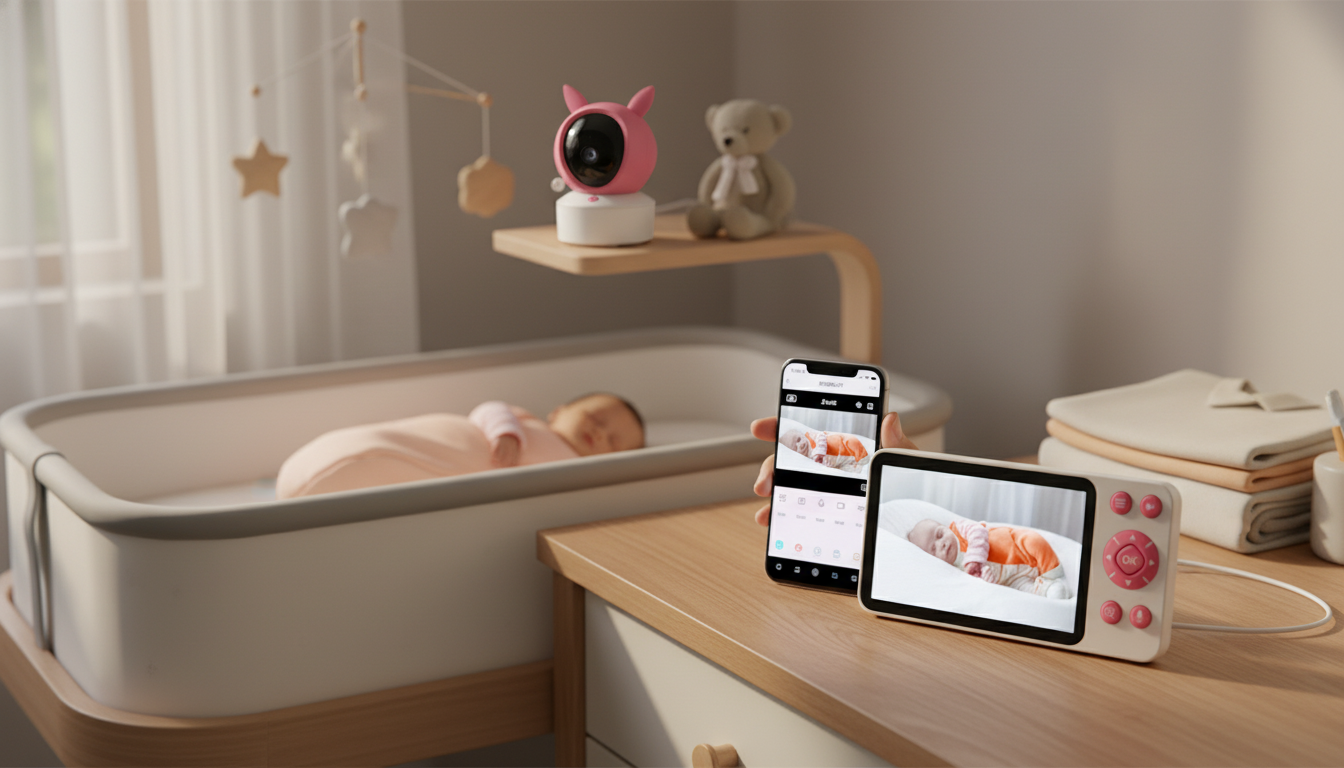
5″ Wireless Baby Monitor with Night Vision & Smart Alerts: Clear Video, Quieter Nights
A reliable baby monitor helps caregivers check in quickly without hovering. This 5-inch wireless monitor pairs a large, easy-to-view screen with night vision and smart alerts, so changes in sound or movement can be noticed sooner—day or night. The result is simple: fewer unnecessary trips to the nursery, faster response when something actually changes, and more confidence during naps and overnight sleep.
What matters most in a baby monitor
Baby monitors can look similar on a product page, but a few practical features make daily use noticeably easier—especially when you’re running on limited sleep.
- Night visibility that stays clear without turning on lights or cracking the door (both can wake a light sleeper).
- Alerts that reduce constant screen-checking, so you can focus on chores, work, or resting.
- A stable wireless connection with a usable range for your real layout (stairs, hallway corners, and thicker walls).
- A readable screen size for quick confirmation—no squinting or guessing.
- Practical audio controls like volume adjustment, two-way talk, and sensitivity settings to fit your environment.
- Simple setup so any caregiver can operate it confidently—parents, grandparents, babysitters, and postpartum helpers.
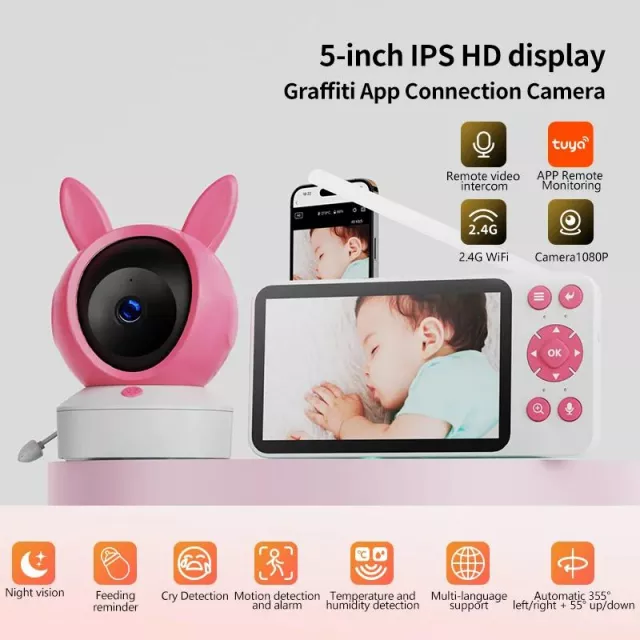
Quick look: 5″ Wireless Baby Monitor with Night Vision & Smart Alerts
If a phone-based setup isn’t appealing for sleep hours—or you just want a dedicated screen that’s always ready—this monitor is built around easy check-ins and calmer monitoring.
- 5-inch display for at-a-glance viewing
- Night vision for low-light monitoring
- Smart alerts to notify when attention may be needed
- Wireless design for flexible nursery placement
- In stock and priced at $80.51
Key details at a glance
| Detail | What it means for daily use |
|---|---|
| Display | 5-inch screen helps confirm baby’s position and comfort quickly |
| Night vision | View in darkness without switching on nursery lights |
| Smart alerts | Prompts attention when activity or sound changes |
| Wireless monitoring | Check in from another room without being tied to the crib |
| Availability | In stock |
Night vision: seeing without disturbing sleep
Night vision is one of those features that matters most at 2 a.m. It supports low/no-light viewing, so you can verify what’s happening without flipping on a lamp or opening the door wide enough to change the room’s light and temperature.
- Low-light checks stay low-stress: confirm breathing movement, sleep position, or whether baby is simply resettling.
- Spot common disruptions quickly: blanket movement (when age-appropriate), a pacifier that’s been dropped, or increased wiggling before a wake-up.
- Supports a darker nursery: many families prefer a dim environment to encourage longer sleep stretches—night vision helps you keep it that way.
For best clarity, test the camera view after dark and make small placement adjustments (height, angle, and distance) until the crib area is fully visible without glare.
Smart alerts: fewer check-ins, faster response
Smart alerts are designed to cut down on the “constant glance” habit. Instead of repeatedly picking up the monitor to see if anything changed, you can rely on notifications that signal meaningful shifts—then check the screen with a purpose.
- Less background worry: alerts nudge you when sound or movement changes enough to warrant a look.
- Better for busy windows: during naps while you’re cooking, showering, or helping another child.
- Helpful with rotating caregivers: consistent alert behavior reduces missed cues during handoffs.
The goal is actionable notifications: sensitive enough to catch real needs, but not so sensitive that routine rustling or household noise triggers alert fatigue. A stable camera angle and a thoughtful sensitivity setting make the biggest difference.
Where a 5-inch screen fits best
A dedicated 5-inch display hits a practical middle ground: large enough to read clearly, small enough to keep on a nightstand, dresser, or kitchen counter without feeling bulky.
- Bedside viewing: verify comfort quickly without unlocking a phone or turning your screen brightness way up.
- Shared caregiving: a larger screen reduces misreads and missed details, especially for tired eyes.
- Travel and visits: unfamiliar rooms have unpredictable lighting; a clear display helps you adapt faster.
- Rest hours without phone temptation: a separate monitor can keep you from late-night scrolling during wake windows.
Setup and placement tips for clearer video and fewer false alarms
Small setup choices can dramatically improve video clarity and reduce unnecessary alerts.
Everyday scenarios where this monitor helps
Care, safety, and responsible use
- Prioritize a safe sleep setup: a firm sleep surface and a clear sleep space are key recommendations.
- Use trusted guidance: review the American Academy of Pediatrics safe sleep recommendations (AAP Safe Sleep) and CDC information on SIDS and safe infant sleep (CDC SIDS & Safe Sleep).
- Keep devices secure: use secure settings where applicable and check that your setup remains stable after rearranging furniture.
- Re-check placement as baby grows: what was safely out of reach at 2 months may not be at 8 months.
Also in stock
- Spring Plaid Wide Padded Headband – Chic Cotton Blend Hair Accessory
- Retro Corduroy Hair Scrunchies & Headbands – Large, Soft & Stylish
- Crystal Moon & Star Car Vent Clips
FAQ
Does night vision work in a completely dark room?
Night vision is designed for low/no-light viewing, including fully dark rooms. For the clearest image, test your camera angle at night and avoid aiming it toward windows or lamps that can create glare or washout.
How can smart alerts be adjusted to avoid too many notifications?
Start with medium sensitivity, then adjust after you’ve observed a full nap and a full night. Extra alerts often come from camera placement changes, nearby fans or sound machines, or general household noise—small tweaks can make alerts more meaningful.
Is a baby monitor a substitute for safe sleep practices?
No. A monitor is a support tool for supervision, but safe sleep guidance still matters most—use a firm sleep surface and keep the sleep space clear, following current recommendations.















Leave a comment