10-in-1 USB-C Hub: 4K HDMI, Ethernet & 100W PD
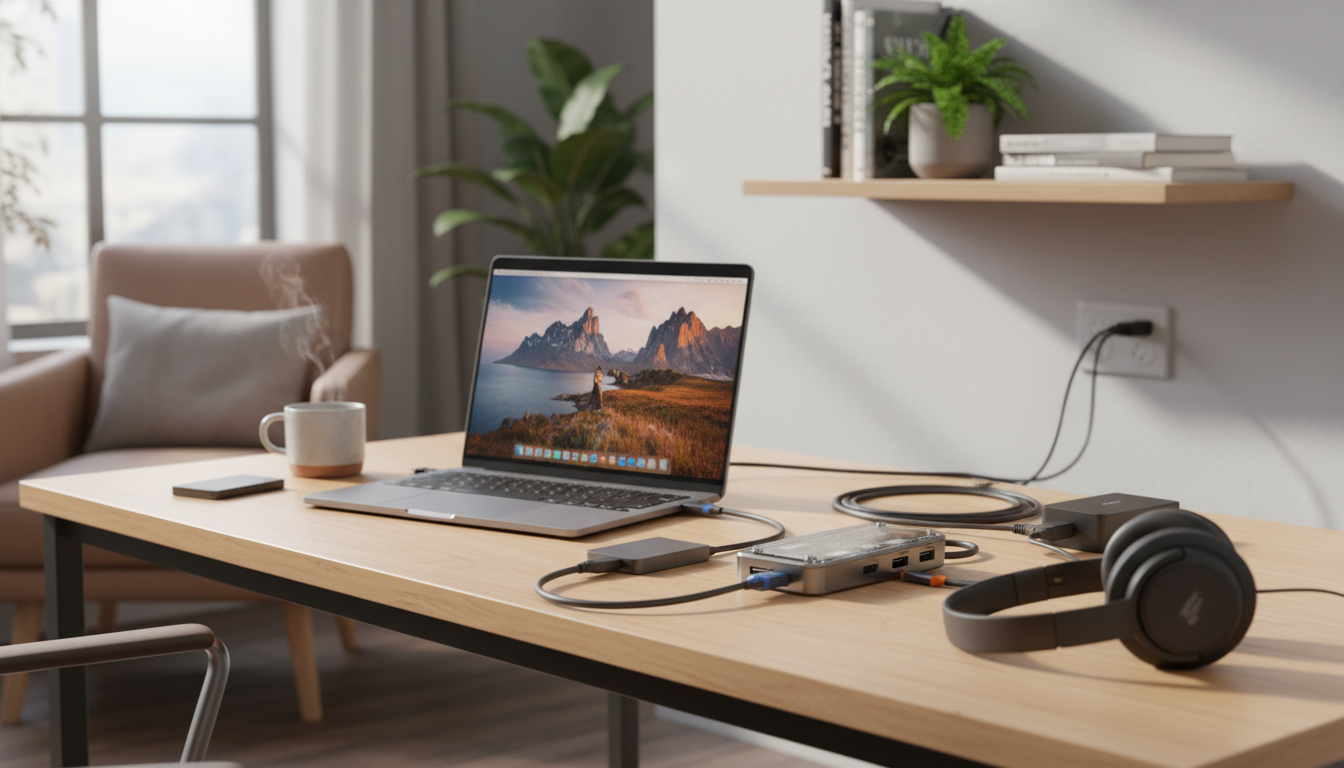
10-in-1 USB-C Hub: Turn One Port into a Full Workstation
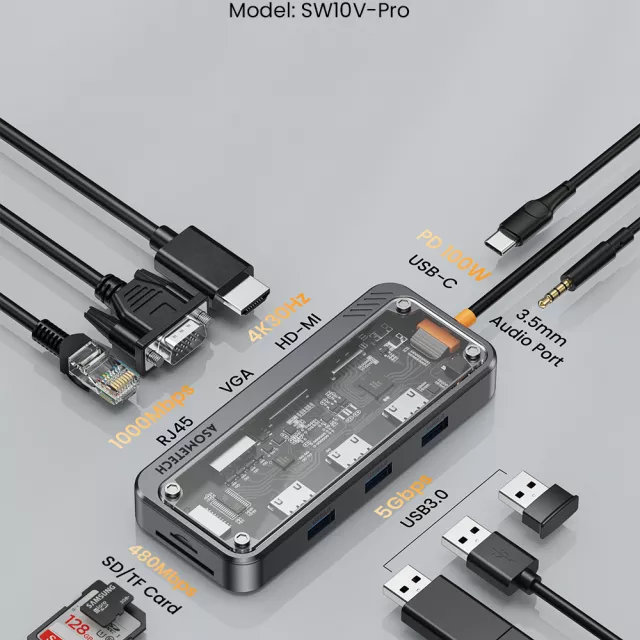
A single USB-C port can power a workstation—when the hub is built for it. This 10-in-1 USB-C hub combines 4K HDMI for a clean external display, wired Ethernet for stable connections, up to 100W Power Delivery pass-through for charging, multiple USB ports for accessories, and a 3.5mm audio jack for headsets or speakers. It’s designed to simplify daily setups for laptops, tablets, and compatible phones by consolidating essential ports into one compact adapter.
If your device is slim enough to skip “legacy” ports (or you’re tired of juggling separate adapters), a multiport USB-C dongle like this can make your desk, backpack, and meeting kit feel dramatically more organized.
What this hub adds to a USB-C device
The biggest advantage of a 10-in-1 hub is how it reduces friction: one connection to your laptop or tablet, then everything else plugs into the hub—monitor, internet, storage, and audio.
- 4K HDMI output for connecting an external monitor or TV (great for desk setups, presentations, and streaming).
- Ethernet port for reliable, low-latency network access when Wi‑Fi is inconsistent.
- 100W USB‑C Power Delivery pass-through to keep a laptop charged while using other ports.
- USB 3.0 ports for fast file transfers with flash drives, SSDs, keyboards, mice, and other peripherals.
- 3.5mm audio port for wired headphones, headsets, or speakers—useful on devices without a headphone jack.
- One-cable convenience: connect the hub once, then plug everything into the hub instead of the device.
For a ready-to-go option, see the 10-in-1 USB-C Hub with 4K HDMI, Ethernet, 100W PD, USB 3.0 & Audio Port.
Port-by-port highlights (and what to plug in)
Multiport adapters work best when each port has a “job.” Here’s what typically makes the biggest difference in daily use:
- HDMI: best paired with a 4K monitor for sharp text and more workspace; confirm your device supports video over USB‑C (Alt Mode).
- Ethernet: ideal for video calls, online classes, cloud backups, and gaming where stability matters.
- USB-C PD input: connect your charger to the hub, then the hub to your laptop; power is passed through while the hub runs accessories.
- USB-A 3.0: plug in external drives, printers, webcams, and dongles; for best speed, use quality USB 3.0 cables and drives.
- Audio jack: use wired audio when Bluetooth is delayed or unreliable—especially for meetings and recording.
Quick compatibility checklist
| Feature | What to verify on your device | Why it matters |
|---|---|---|
| 4K HDMI | USB-C supports video (DisplayPort Alt Mode or Thunderbolt/USB4) | Without video support, HDMI won’t output a display |
| 100W PD pass-through | Device supports USB-C charging and your charger provides enough wattage | Prevents slow charging under load |
| Ethernet | Driverless support is common, but some OS versions may require updates | Ensures the network adapter works immediately |
| USB 3.0 speeds | USB-C port supports USB 3.x (not USB 2.0-only) | Affects transfer speeds for storage devices |
| 3.5mm audio | Device can route audio through the hub | Useful for headsets on devices lacking a headphone jack |
For deeper technical references, the USB-IF provides a clear overview of USB Power Delivery at usb.org, and VESA explains how USB-C video works via DisplayPort Alt Mode at vesa.org.
Everyday setups this hub suits
A hub like this tends to pay off fastest in situations where you routinely plug in more than one accessory. These are some common “just works” setups:
- Work-from-home desk: HDMI monitor + Ethernet + keyboard/mouse + charging through a single USB‑C connection.
- Travel workstation: compact way to add a presentation display and reliable hotel-room wired internet.
- Student setup: connect a monitor for multitasking, plus wired audio for clearer lectures and calls.
- Content tasks on the go: quickly offload files from USB drives and keep the laptop powered during transfers.
- Meeting-ready kit: wired Ethernet and wired headset support can reduce dropouts and audio lag.
One practical approach is to leave your monitor, Ethernet cable, and a favorite keyboard/mouse plugged into the hub at your desk. When you arrive, you connect just one cable to your laptop and you’re instantly “docked” without a bulky docking station.
Charging and performance notes
- 100W PD refers to power input capability; actual charging speed depends on the laptop’s requirements and the wattage of the connected USB‑C charger.
- High-power laptops can draw near their maximum under load. A sufficiently rated charger (and a quality USB‑C cable) helps maintain charge while accessories are connected.
- For stable 4K output, use a good HDMI cable and avoid stacking multiple adapters between the hub and display.
- Ethernet performance depends on your network gear, but wired connections generally reduce latency and random drops compared with busy Wi‑Fi environments.
Care, portability, and setup tips
In-stock picks
- 10-in-1 USB-C Hub with 4K HDMI, Ethernet, 100W PD, USB 3.0 & Audio Port
- Crystal Moon & Star Car Vent Clips
- Retro Corduroy Hair Scrunchies & Headbands – Large, Soft & Stylish
FAQ
Will the HDMI port work with any USB-C laptop?
No. Your laptop, tablet, or phone must support video output over USB-C (DisplayPort Alt Mode, Thunderbolt, or USB4); if the USB-C port is for data/charging only, the HDMI port won’t produce a display signal.
Does 100W PD mean my laptop will always charge at 100W?
No. 100W indicates the hub’s pass-through capability; real charging speed depends on your charger’s wattage, the laptop’s negotiated USB-PD profile, and how much power the laptop and connected accessories are using.
Why choose Ethernet on a hub instead of Wi‑Fi?
Ethernet is typically more stable and lower-latency than Wi‑Fi, which can help reduce call dropouts, buffering, and inconsistent speeds in congested networks like offices, dorms, and hotels.















Leave a comment