4K Dual-Lens PTZ Camera: AI Tracking + Dual-Band Wi‑Fi
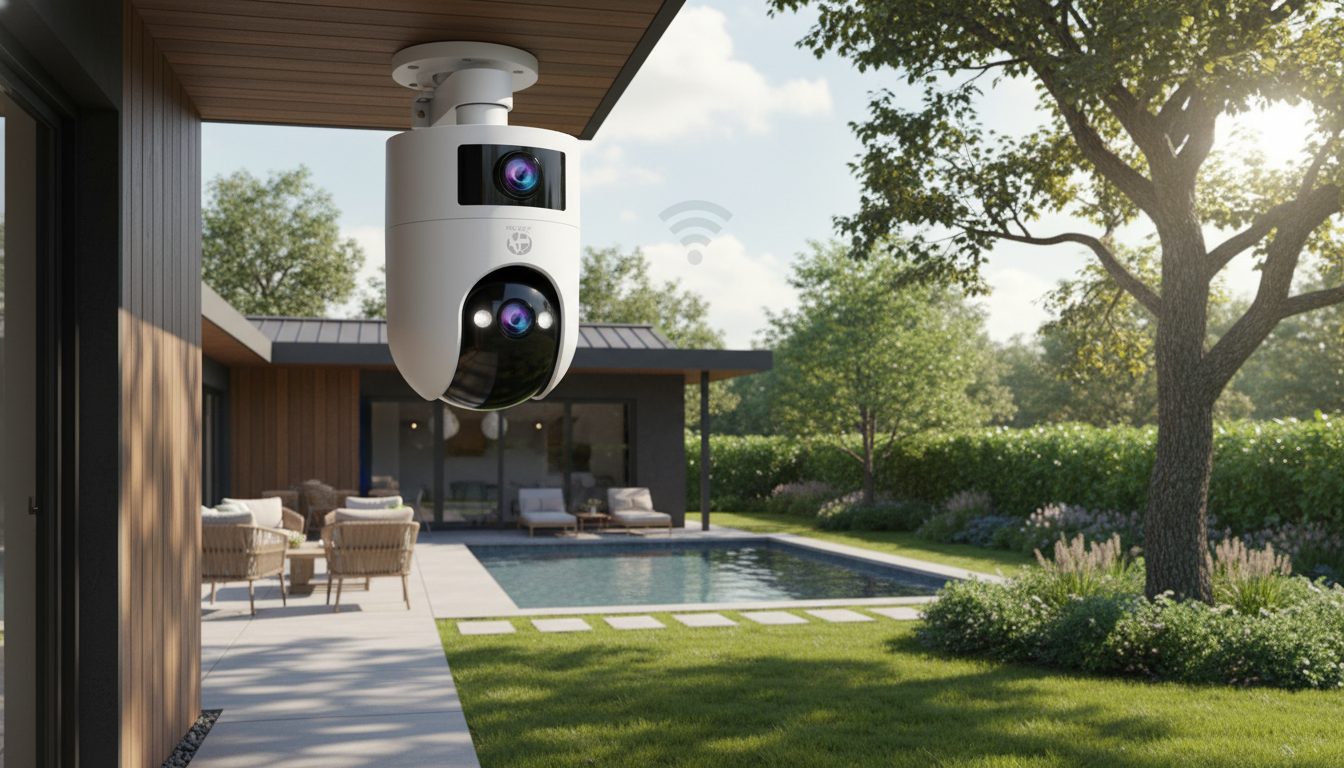
4K Dual‑Lens PTZ Outdoor Camera with AI Tracking and Dual‑Band Wi‑Fi
A dual‑lens PTZ outdoor camera combines wide coverage with the ability to zoom in and follow motion automatically. This setup is designed for monitoring driveways, yards, entryways, and detached garages with clearer detail, fewer blind spots, and steadier connectivity over 2.4GHz or 5GHz Wi‑Fi.
What a Dual‑Lens PTZ Setup Changes
Traditional outdoor cameras often force a tradeoff: a wide view that misses details, or a tighter view that leaves blind spots. A dual‑lens PTZ design helps bridge that gap by pairing different perspectives in one device.
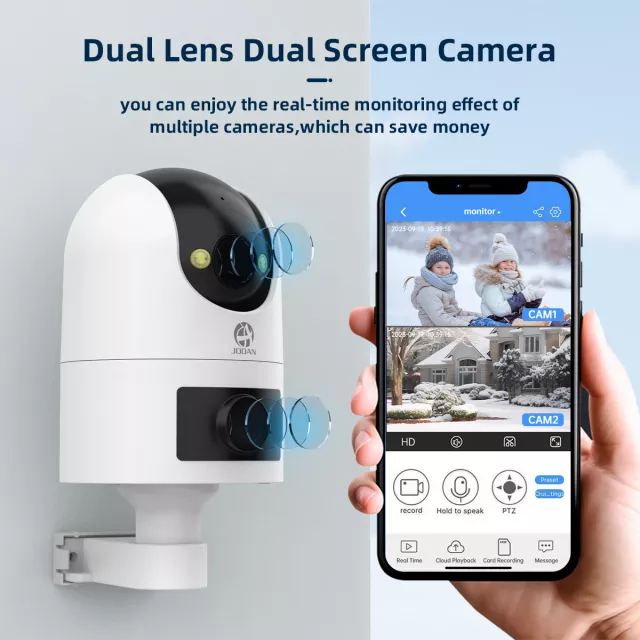
- Two lenses can cover different perspectives at once—commonly a wider overview plus a closer, more detailed view.
- PTZ movement (pan/tilt/zoom) helps scan larger areas without adding multiple fixed cameras.
- Useful for properties where activity shifts between zones, such as a driveway leading to a front door.
- Helps reduce “where did they go?” moments by keeping an overview while tracking a subject.
For everyday use, this can mean fewer “almost” clips—like catching a car enter the driveway but missing the person walking up to the porch. With a broader context view and a closer view, playback is often easier to interpret.
AI Tracking: Following Motion with Fewer Missed Moments
AI tracking is built to keep a moving person or vehicle centered as it moves through the camera’s field of view. That can be especially helpful in long, open spaces (driveways, side yards) where subjects move across the frame quickly.
- Auto‑tracking aims to keep a moving person or vehicle within the frame as they cross the monitored area.
- Best results come from mounting the camera high enough to see pathways clearly while minimizing obstructions like tree branches.
- Use activity zones (when available) to reduce alerts from sidewalks, busy streets, or swaying plants.
- Pair tracking with a stable Wi‑Fi signal to avoid dropped frames during movement.
A practical test after installation: walk the routes that matter most (front door to car, gate to back door) at the speeds people actually move. If the subject exits the frame during turns or near corners, slightly adjust the angle and reduce background “noise” (busy streets, moving branches) by tightening zones.
4K Detail Outdoors: When Resolution Matters
4K can make a real difference outdoors when you need to interpret details at distance—especially in driveways and front-yard coverage where subjects may be 20–50+ feet away.
- Higher resolution helps with reading fine details at distance, such as clothing features, package labels, or vehicle markings.
- Real‑world clarity depends on lighting, lens quality, and compression—not just the headline resolution.
- Place the camera to avoid direct glare from sunrise/sunset and bright porch lights aimed into the lens.
- Keep the lens area clean; dust, rain spotting, and spiderwebs can degrade sharpness quickly.
Practical placement tips for clearer footage
| Goal | Recommended approach | Common mistake |
|---|---|---|
| Cover an entryway | Mount above head height, angled down toward the door and approach path | Aiming too high and recording mostly sky/overhang |
| Monitor a driveway | Position to capture vehicles side-on near a choke point (gate, driveway neck) | Only capturing headlights at night |
| Reduce false alerts | Exclude trees/streets using activity zones and tighter framing | Pointing at moving foliage and expecting silent alerts |
| Improve Wi‑Fi stability | Mount within a strong router/mesh node coverage area; prefer 5GHz when close | Mounting at the far edge of the property with a weak signal |
Dual‑Band Wi‑Fi: Choosing 2.4GHz vs 5GHz
Dual‑band support gives you flexibility. The “best” band depends on distance, building materials, and how congested your local wireless environment is.
- 2.4GHz typically reaches farther and penetrates walls better, which helps for distant outdoor mounts.
- 5GHz usually offers higher throughput and less interference when the camera is closer to the router or a mesh node.
- If live view stutters, try switching bands, moving the access point, or adding a mesh node closer to the camera.
- Keep the camera away from large metal surfaces and dense masonry that can block signal.
Security also matters for connected devices. Use strong Wi‑Fi encryption (prefer WPA2/WPA3) and keep device firmware updated. For general best practices, see the Wi‑Fi Alliance overview of Wi‑Fi security and the FTC’s tips for using smart devices securely.
Everyday Use: Alerts, Live View, and Playback Habits
The best outdoor camera experience usually comes from tuning it to the scene rather than relying on default settings.
Spotlight Product
Quick specs at a glance
| Item | Details |
|---|---|
| Product | 4K Dual‑Lens PTZ Outdoor Security Camera with AI Tracking & Dual‑Band WiFi |
| Price | $27.51 (USD) |
| Availability | In stock |
| Product page | View details |
Other in-stock picks
- Crystal Moon & Star Car Vent Clips
- Spring Plaid Wide Padded Headband – Chic Cotton Blend Hair Accessory
FAQ
Does 5GHz Wi‑Fi work better than 2.4GHz for an outdoor camera?
5GHz can be faster and less congested when the camera is relatively close to the router or a mesh node. For longer distances outdoors or through multiple walls, 2.4GHz often holds signal better—testing both bands is the simplest way to choose.
How high should a PTZ outdoor camera be mounted for reliable tracking?
Mount it above head height (often around 8–12 feet) and angle it downward so it clearly sees approach paths. Avoid placing it where branches, gutters, or overhangs regularly block the view or create heavy glare.
Why does AI tracking sometimes lose the subject?
Common causes include weak Wi‑Fi, low light, fast movement, obstructions, or too much background motion (like traffic or trees). Improving signal strength, tightening activity zones, adding more consistent lighting, and adjusting the camera angle can help tracking stay locked.















Leave a comment