Adjustable Desktop Phone Stand: Height & Angle Comfort
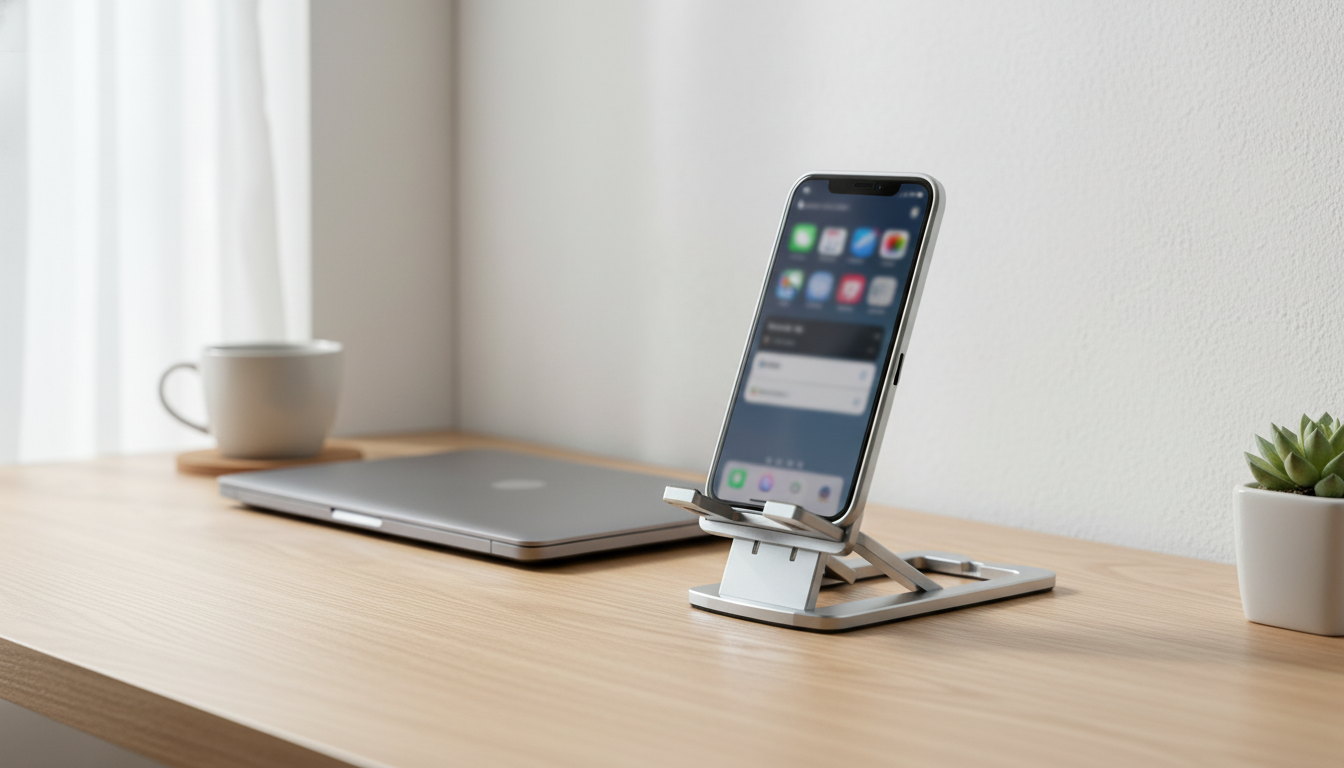
Adjustable Desktop Phone Stand for Smartphones: A Small Change That Makes Desk Time Easier
A stable phone stand can make everyday tasks—video calls, reading recipes, watching tutorials, or monitoring notifications—more comfortable and less distracting. A height- and angle-adjustable desktop holder helps position the screen at a better viewing level, keeps the phone secure on a desk, and frees hands for typing, note-taking, or charging. When the phone is no longer sliding around or lying flat, it becomes a reliable second screen for work and home routines.
Ergonomic guidance consistently emphasizes keeping screens at a comfortable height and reducing awkward neck positions; resources like the OSHA Computer Workstations eTool and the Mayo Clinic office ergonomics guide outline practical ways to adjust your setup. A phone stand won’t replace a full workstation adjustment, but it can remove a common daily friction point: constantly picking up and re-placing your phone to see what’s on it.
What an adjustable desktop phone stand solves
- Reduces neck and wrist strain by lifting the screen closer to eye level and letting the viewing angle match your seating position.
- Keeps the phone steady during taps, swipes, and calls—useful for meetings, streaming, and time-lapse recording.
- Creates a dedicated spot on the desk to prevent misplacing the phone and to keep work surfaces tidier.
- Improves visibility for notifications and timers without picking the phone up repeatedly.
- Supports hands-free use for accessibility needs, language practice, and on-screen instructions while working.
Key features to look for (and why they matter)
Not all stands behave the same once you start tapping the screen, plugging in a cable, or adjusting to different lighting. These are the details that tend to matter most in daily use.
- Height adjustability: Helps align the screen with seated eye level; a wider adjustment range better suits standing desks and taller monitors.
- Angle adjustment: Enables comfortable viewing for reading, video calls, and media; steeper angles help reduce glare from overhead lighting.
- Stable base and hinge strength: Prevents wobble when typing on the phone or interacting with the screen; hinges should hold position without drifting.
- Non-slip contact points: Rubberized pads protect the phone and keep it from sliding, especially when the screen is tapped.
- Case compatibility: Wider cradles typically fit most everyday cases; thicker rugged cases may need extra clearance.
- Cable-friendly design: Space for a charging cable allows use while plugged in, which matters for long calls and streaming.
- Foldability and portability: Convenient for moving between home and office or packing for travel.
Everyday tasks and the stand position that helps most
| Use case | Recommended height | Recommended angle | Helpful tip |
|---|---|---|---|
| Video calls | Mid to high | Near-upright | Place the camera at eye level to avoid unflattering angles. |
| Watching tutorials | Mid | Slightly reclined | Tilt to reduce glare; keep within arm’s reach for pauses. |
| Reading/scrolling | Mid | Moderate tilt | A stable hinge reduces shake while swiping. |
| Cooking/recipes | Higher | More upright | Keep away from splashes; wipe stand pads if greasy. |
| Charging desk dock | Low to mid | Moderate tilt | Route cable so it doesn’t pull the phone forward. |
Best ways to use it at a desk
A good stand is adjustable; a great setup uses that adjustability on purpose. Small placement changes can reduce distraction and keep the phone useful without becoming the center of attention.
- Set the stand slightly to the side of the monitor so notifications are visible without blocking the main screen.
- For keyboard-heavy work, keep the phone higher and angled so glances are quick and head movement is minimal.
- During meetings, align the phone camera with face height and keep the phone centered to maintain eye contact.
- If using a ring light or desk lamp, adjust the angle to minimize reflections; small angle changes often solve glare.
- For study sessions, use the stand to display timers, flashcards, or reference material while writing notes.
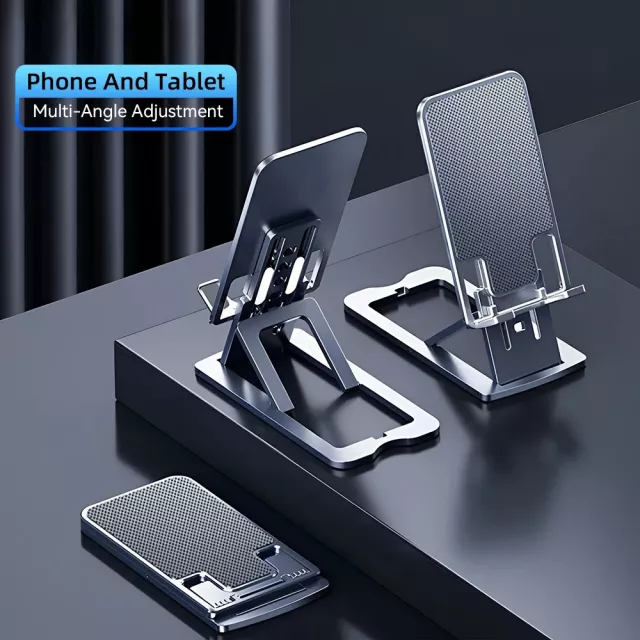
If you want a simple option for everyday use, the Adjustable Desktop Phone Stand for Smartphones – Height & Angle Adjustable Holder is designed for desk viewing, quick adjustments, and hands-free use.
Stability, safety, and surface protection
Adjustable stands are most useful when they’re also predictable: no surprise slipping, no hinge drift, and no desk scratches. A few habits help keep everything steady.
Care and maintenance
A simple upgrade for home, office, and travel setups
For the “on-the-go” half of your phone placement needs, pairing a desktop stand with a car accessory can keep your setup consistent across locations. If you like a decorative option for the car, consider Crystal Moon & Star Car Vent Clips to complement a tidy phone routine between commutes and desk time.
FAQ
Will an adjustable desktop phone stand work with a phone case on?
Most cases fit as long as the cradle is wide enough and the front lip isn’t too tall. If you use a thick rugged case, check for extra clearance so the phone can sit fully in the cradle without rocking.
Can a phone stand be used while charging?
Yes, as long as the stand has cable clearance or a cutout for the charging connector. Route the cable with enough slack so it doesn’t tug the phone forward—especially when the stand is set higher.
How do you reduce wobble when tapping the screen?
Lower the height a little, place the stand on a hard surface, and clean the non-slip pads to restore grip. If the hinge tension is light, avoid using the most extended setting and increase the viewing angle for better balance.















Leave a comment