Hall Effect Wired Xbox Controller: Smooth, No-Drift Aim
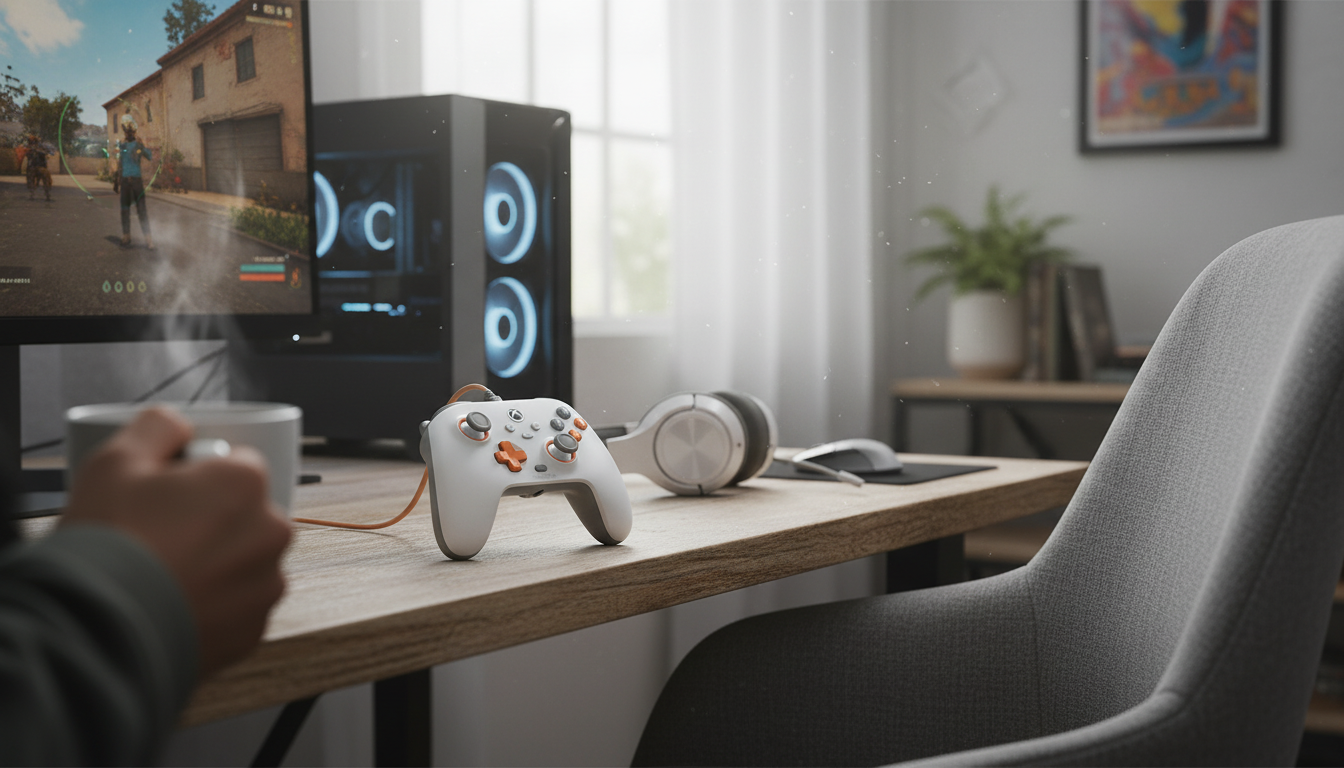
Wired Xbox-Compatible Game Controller with Hall Effect Precision
A responsive wired controller can make gameplay feel tighter and more consistent—especially in shooters, racing, and competitive titles where tiny stick movements matter. A controller built around a wired connection and Hall effect sensing focuses on two things players notice right away: stable input that stays predictable session after session, and a setup that’s always ready without charging or pairing.
If you’re upgrading from an older pad that’s starting to feel “loose” around center, or you simply want a dependable controller for an Xbox-compatible setup and Windows PC, a Hall effect wired controller is an easy, practical step up.
What Hall Effect precision changes in everyday play
Hall effect thumbsticks use magnetic sensing to read movement. Instead of relying on contact-based components that can wear down over time, the controller measures position through changes in a magnetic field. In day-to-day play, that design can translate into steadier aiming and more repeatable control.
- Magnetic sensing is designed to reduce wear-related inaccuracies compared with traditional contact-based stick designs.
- Helps maintain consistent center positioning and smooth micro-adjustments for aiming, camera control, and fine steering corrections.
- Useful for long sessions where heat, dust, and repeated motion can contribute to changes in stick feel.
- Especially noticeable in games that reward gentle inputs: sniping, drift control, flight/space sims, and sports passing.
For players who constantly “feather” the stick—tracking a target, holding a drift angle, or making tiny camera corrections—the main benefit is confidence. The stick feels more like a precise instrument and less like something that slowly changes personality as it ages.
For a deeper explanation of the underlying physics, the Hall effect is widely documented as a measurement principle in electronics (see Encyclopaedia Britannica’s overview of the Hall effect).
Why wired still matters: stability, latency feel, and zero charging
Wireless is convenient, but wired remains the simplest way to keep a controller “always on.” When you plug in, you remove the variables that can interrupt a match: low battery warnings, pairing quirks, and crowded-room interference from multiple devices.
- Direct connection avoids mid-session battery management and reduces the chance of wireless interference in busy rooms.
- Consistent connection is helpful for tournament-style play, shared living spaces, and streaming setups.
- Simple setup: connect, select the controller in-game if needed, and start playing.
- A solid option for desks, couch play with long cables, or secondary setups where pairing a wireless pad is a hassle.
Quick comparison: Hall effect wired controller vs typical alternatives
| Feature | This controller approach | Typical wireless controller | Typical wired controller (standard sticks) |
|---|---|---|---|
| Stick sensing | Hall effect magnetic sensing | Often potentiometer-based (varies by model) | Often potentiometer-based |
| Power | USB wired power | Battery/charging required | USB wired power |
| Connection consistency | Very consistent | Can vary with interference/range | Very consistent |
| Long-term stick stability | Designed to resist wear-related drift | Depends on stick design and use | More prone to wear-related drift over time |
| Best for | Competitive play, PC desks, no-charging setups | Living room convenience, wireless freedom | Budget wired setups, shared/backup controllers |
Compatibility and setup checklist
Most Xbox-compatible wired controllers are straightforward, but a quick checklist saves time—especially on PC where games can default to keyboard/mouse input.
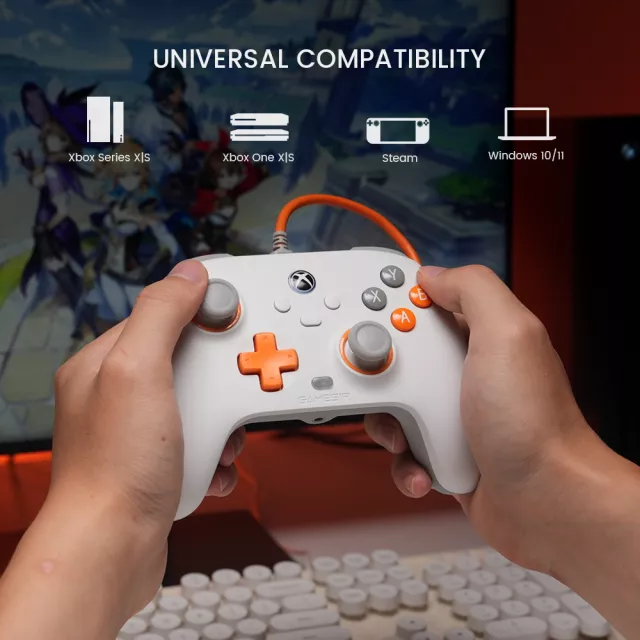
- Confirm device support: Xbox-compatible use cases and Windows PC are the most common targets for this type of controller.
- Use a reliable USB port directly on the console/PC when possible (avoid unpowered hubs if disconnects occur).
- In Windows, check controller recognition in system game controller settings; in Steam, verify input configuration if remapping is needed.
- For Xbox-compatible play, ensure the game is set to controller input and not locked to keyboard/mouse (common on PC).
If you run into connection issues on console, Xbox’s official troubleshooting steps are a solid starting point: Xbox Support — Connect and troubleshoot Xbox controllers. For PC basics, Microsoft also covers common controller setup topics in Windows support documentation: Microsoft — Windows game controller basics.
Controls, comfort, and in-hand feel to look for
Specs matter, but comfort is what determines whether a controller becomes your daily driver. A wired controller also changes how you sit and route your setup, so it’s worth thinking beyond just the thumbsticks.
Who this controller fits best
Care tips to keep inputs consistent
In-stock picks
- Wired Xbox-Compatible Game Controller with Hall Effect Precision — a plug-and-play wired option built for consistent stick control and long-session reliability.
- Spring Plaid Wide Padded Headband – Chic Cotton Blend Hair Accessory — a simple way to keep hair off your face under headsets and studio lights.
- Retro Corduroy Hair Scrunchies & Headbands – Large, Soft & Stylish — a comfortable option to keep your setup distraction-free during longer sessions.
FAQ
Do Hall effect sticks eliminate stick drift completely?
Hall effect sensing is designed to reduce wear-related drift that can happen as contact-based components age, but no controller is immune to every issue. Debris, mechanical centering changes, calibration, or firmware behavior can still affect how the sticks feel.
Will a wired Xbox-compatible controller work on PC?
Many wired Xbox-compatible controllers are plug-and-play on Windows. If something doesn’t register correctly, try a direct USB port, confirm the controller appears in Windows controller settings, and check Steam input configuration if you need remapping.
Is a wired controller slower than wireless?
Wired connections are often perceived as very consistent because they avoid wireless interference and battery-related power behavior. Real-world responsiveness still depends on the controller, the game, and your display settings.















Leave a comment