Switch 2 Dockable Grip Case + Thumb Grips: Comfort & Fit
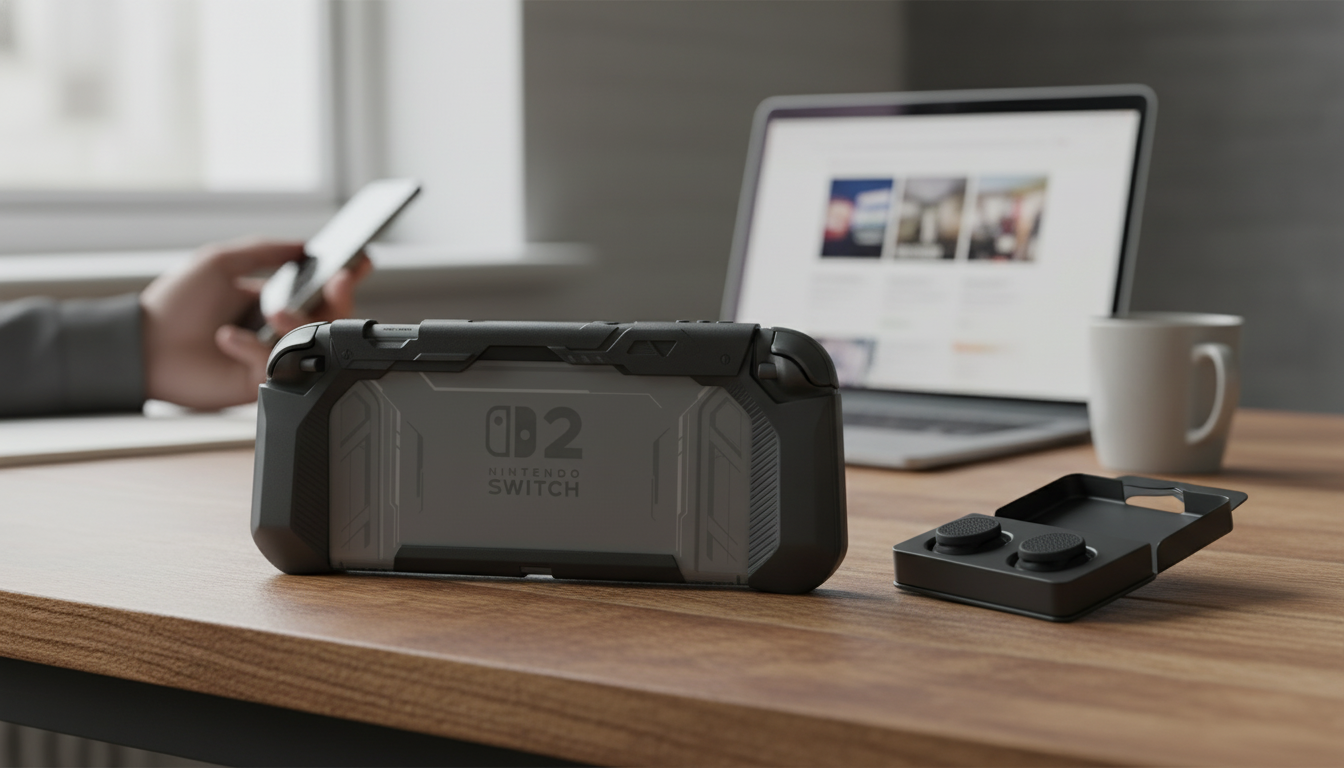
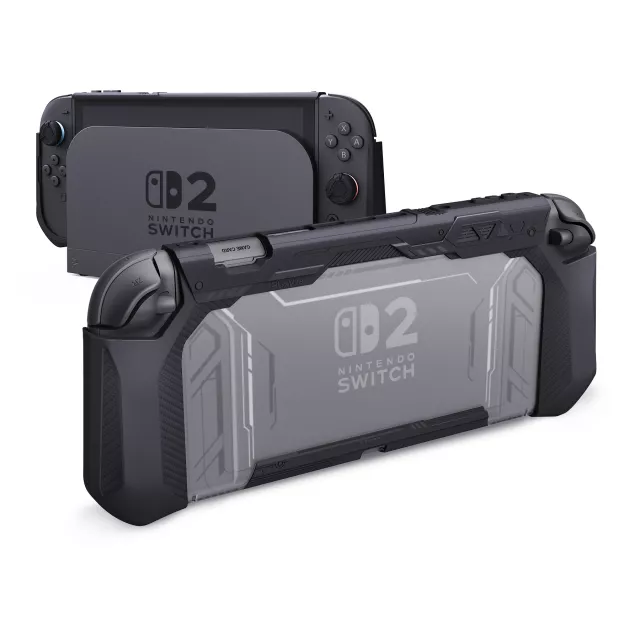
Dockable Protective Grip Case for Nintendo Switch 2 with Thumb Grips
A good grip case should protect the console without turning docking into a daily hassle. This dockable protective grip case is built to stay on while charging in the dock, add hand-friendly grips for longer sessions, and include thumb grips for better stick control—without blocking the buttons and ports that get used most. For more guidance, see Reviews by Jackpot77 | Page 2 – Head-Fi.
What makes a dockable grip case different
Not all protective cases are created with the dock in mind. Many “protective” shells add just enough thickness to make docking feel tight, or they require constant removal to charge and play on the TV. A dockable grip case focuses on a slimmer, better-cleared profile so you can keep your console protected more of the time. For further reading, see Nintendo Switch Accessories Which You Must Have.
- Designed to fit while sliding into the dock, reducing the need to remove the case for charging and TV play.
- Grip-focused shaping that supports palms and fingers for longer handheld sessions.
- Cutouts and clearances aimed at keeping buttons, triggers, vents, speakers, and ports usable.
- Thumb grips included to add traction and comfort on the analog sticks.
For general care and safe usage practices, Nintendo’s official guidance is a good reference point, especially around handling and ventilation: Nintendo Support — Health & Safety / Usage guidelines. For dock setup and best practices, see Nintendo Support — Dock and setup information.
Comfort upgrades for handheld play
Handheld gaming is all about control and endurance. A console that feels sleek and portable can also feel flat in the hands after a long session—especially in games with quick camera movement, frequent trigger pulls, or repeated stick inputs.
- Contoured side grips help reduce hand strain during long play sessions by giving your fingers a more natural place to rest.
- A more stable hold can be a real advantage in action titles where sudden dodges or rapid camera swings can make a console feel “slippery.”
- Thumb grips can improve precision by adding a grippier surface and subtly changing the stick feel (often helpful for micro-adjustments).
- A more secure handheld feel matters when playing on the go, in bed, or during commutes, where you may be holding the console at odd angles.
One small but practical benefit: thumb grips can reduce the “slick” sensation that sometimes happens when hands are dry or when you’re playing in air-conditioned rooms for long stretches.
Everyday protection without getting in the way
A grip case isn’t meant to make a console indestructible; it’s meant to reduce the damage and stress that comes from everyday life—quick pick-up sessions, moving between rooms, tossing a console into a bag, or setting it down on a table one too many times.
- Helps guard against minor drops, bumps, and scuffs during travel and storage.
- Raised edges and structured sides can add extra protection around the handheld areas that take the most impact.
- A case that stays on more often typically protects more often, especially when docking isn’t a removal step.
- Practical for frequent Joy-Con attachment/detachment and quick pick-up play when you don’t want to fuss with accessories.
For best results, keep openings clear, periodically wipe down the case (especially around cutouts), and avoid forcing the console into the dock if anything feels misaligned.
Quick feature check
When comparing a dockable grip case versus a standard shell, these are the features that make the difference day-to-day.
| Feature | Why it matters | What to look for |
|---|---|---|
| Dock compatibility | Keeps charging and TV play convenient | Slim profile where the console slides into the dock |
| Ergonomic grips | Improves comfort and control | Contoured sides that support palms |
| Thumb grips included | Adds traction and steadier inputs | Secure fit on stick caps, textured top |
| Access to ports and vents | Avoids overheating and usability issues | Openings for vents, USB-C, and buttons |
| Easy install/removal | Helps with cleaning and swapping accessories | Flexible material and precise cutouts |
Who this case suits best
- Players who switch between handheld and docked modes frequently and want fewer steps when it’s time to charge or play on the TV.
- Anyone who finds the bare console too flat or tiring to hold for long sessions.
- Gamers who want extra stick traction for shooters, racers, and action games where fine aim or steering corrections matter.
- Families and travelers looking for basic day-to-day impact and scratch protection that’s easy to live with.
Product options (in stock)
-
Dockable Protective Grip Case for Nintendo Switch 2 with Thumb Grips
— designed for dock-friendly use and improved handheld comfort. $22.67 (USD), in stock. -
Crystal Moon & Star Car Vent Clips
— a small, giftable add-on for a car setup (useful for commuters and road-trip kits). $10.51 (USD), in stock. -
Retro Corduroy Hair Scrunchies & Headbands – Large, Soft & Stylish
— a simple lifestyle add-on for travel or everyday organization. $5.51 (USD), in stock.
FAQ
Can the Nintendo Switch 2 dock be used with a case on?
Dock fit depends on case thickness and the dock’s clearance. A dockable grip case is designed to remain on while docking, but make sure the case is seated evenly and the console slides in smoothly without force.
Do thumb grips affect joystick accuracy?
Thumb grips can improve traction and comfort by adding texture, which may help steadier inputs. They can slightly change the feel (and your sensitivity preference), but they don’t change the controller’s internal calibration.
Will a grip case block vents or cause overheating?
A well-designed grip case includes vent cutouts to keep airflow unobstructed. Keep vents clear of dust buildup, avoid covering the console during heavy play, and stop using it if the system ever feels unusually hot.















Leave a comment