Wireless 4K HDMI/SDI Video Link: 1300ft, Low Latency
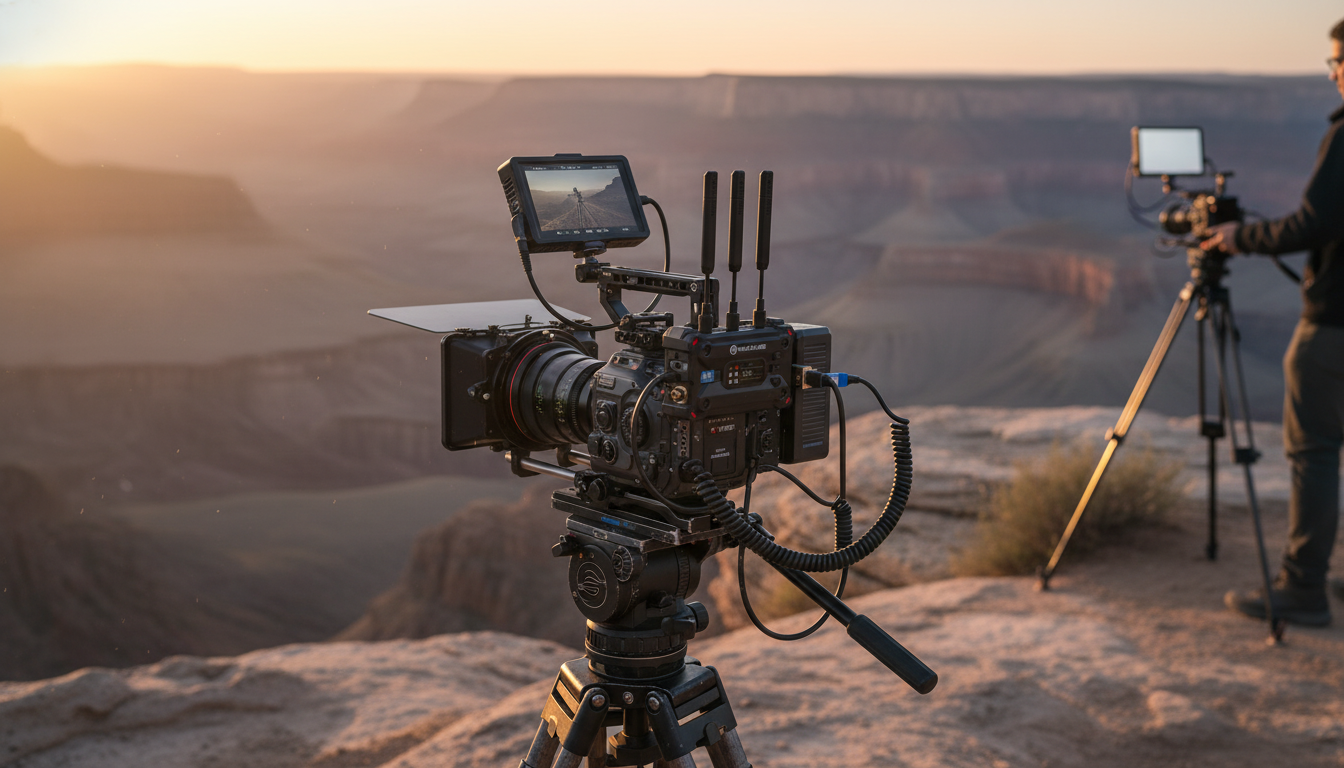
Wireless 4K HDMI/SDI Video Transmission System with 1300ft Range & Low Latency
A wireless video link can replace long cable runs while keeping a clean, stable feed for monitors, switchers, and recorders. This 4K HDMI/SDI transmission system is built for on-set monitoring, live production, and event workflows that need long range and minimal delay. When the goal is to keep crews mobile—without sacrificing picture reliability—wireless transmission becomes a practical upgrade to traditional point-to-point cabling.
What This System Does
At its core, a wireless HDMI/SDI video transmission system sends a camera (or other source) signal to a receiving unit—so the image can be viewed, routed, or recorded where it’s needed.
- Sends a camera or source signal wirelessly to a receiving unit for monitoring or production routing
- Supports both HDMI and SDI workflows, helping bridge mirrorless/cinema cameras with broadcast gear
- Designed for long-distance operation up to 1300ft (line-of-sight) with low-latency performance
- Targets real-time use cases like director’s monitor, focus pulling, live switching, and client viewing
For a ready-to-deploy option, see the Wireless 4K HDMI SDI Video Transmission System with 1300ft Range & Low Latency available now.
Where It Fits Best
Wireless transmission is most valuable when movement, distance, or safety makes cables inefficient. Common fits include:
- Film sets: director’s monitor, video village, focus pulling, and handheld/gimbal shots without tethering
- Live events: sending a camera feed to a switcher position or confidence monitor without running cable through crowds
- Houses of worship and venues: clean installs where cable runs are difficult or temporary
- Corporate and education: training rooms, demos, and overflow displays with quick setup needs
In these settings, the win is often less about “no cables at all” and more about minimizing the longest, most failure-prone runs—especially where people traffic can snag connectors or where quick resets are part of the schedule.
Key Capabilities to Look For (and Why They Matter)
- 4K support: Keeps sharper detail for modern cameras and allows downscaling for HD monitors without softening.
- HDMI + SDI connectivity: Reduces converters and makes it easier to connect mixed ecosystems.
- Long-range link: Useful for wide stages, outdoor shoots, and separating noisy production areas.
- Low latency: Critical for pulling focus, camera operating, IMAG timing, and live switching.
- Stable pairing and reconnection: Minimizes interruptions when powering on/off between takes.
- Power flexibility: The easier it is to power on camera rigs and at monitors, the faster the workflow.
When evaluating HDMI compatibility and formats, the official HDMI resources can help clarify what’s supported at the specification level; see HDMI.org. For SDI terminology and standards, SMPTE is a reliable reference point: SMPTE Standards.
Setup Flow: From Camera to Monitor/Switcher
A clean setup reduces troubleshooting later. A practical flow looks like this:
- Mount the transmitter on the camera rig (or near the source) and connect via HDMI or SDI.
- Place the receiver near the destination device (monitor, capture device, switcher) and connect via HDMI or SDI.
- Power both units, confirm link/pairing, then verify resolution/frame rate output on the display or switcher.
- For multi-device environments, keep the link away from heavy RF congestion when possible and maintain line-of-sight for best range.
- Lock down cable strain relief on both ends to prevent intermittent signal from movement.
One small habit that saves time: label the short HDMI/SDI patch cables at the receiver side. When multiple cameras are feeding multiple destinations, clear labeling prevents “wrong input” confusion during fast changes.
Range and Latency: What to Expect in Real Locations
“Up to 1300ft” is a useful benchmark, but it’s not a promise for every venue. Wireless performance is highly dependent on the environment.
If you’re working in regulated or sensitive RF environments, it’s also worth confirming general compliance and device authorization concepts via the FCC’s equipment authorization resources: FCC OET – Equipment Authorization.
Connectivity Notes: HDMI vs SDI in Practical Use
At-a-Glance Specifications
| Item | Details |
|---|---|
| Video interfaces | HDMI and SDI (transmit/receive connectivity for common camera and broadcast workflows) |
| Max range | Up to 1300ft (line-of-sight; obstacles and RF congestion can reduce distance) |
| Resolution support | Up to 4K (depending on source format and system configuration) |
| Latency | Low latency (end-to-end delay varies by display processing and environment) |
| Typical destinations | Field monitors, client displays, switchers, capture/record devices |
| Best-use scenarios | Live production, events, on-set monitoring, wide-stage or outdoor deployments |
Common Issues and Quick Fixes
Available on Adorien
- Wireless 4K HDMI SDI Video Transmission System with 1300ft Range & Low Latency
- Spring Plaid Wide Padded Headband – Chic Cotton Blend Hair Accessory
- Retro Corduroy Hair Scrunchies & Headbands – Large, Soft & Stylish
FAQ
Is 1300ft range realistic indoors?
Not usually at full distance. The 1300ft figure is typically line-of-sight; walls, metal structures, and crowds can cut range significantly, so placement and a quick on-site test are the safest way to confirm performance.
Does low latency mean it’s suitable for focus pulling?
Often yes, but the perceived delay is the full chain from camera to receiver to display. A fast production monitor can feel much more responsive than a consumer TV with heavy image processing, so test your specific camera/monitor combo before a critical shoot.
Should HDMI or SDI be used for the cleanest workflow?
Use SDI when your camera and destination both support it because the connectors are more secure and routing is typically simpler in production environments. HDMI is common on many cameras, but it benefits from locking or strain relief to prevent disconnects on moving rigs.
















Leave a comment