Wireless USB-C Mobile Controller: Hall Sticks + RGB
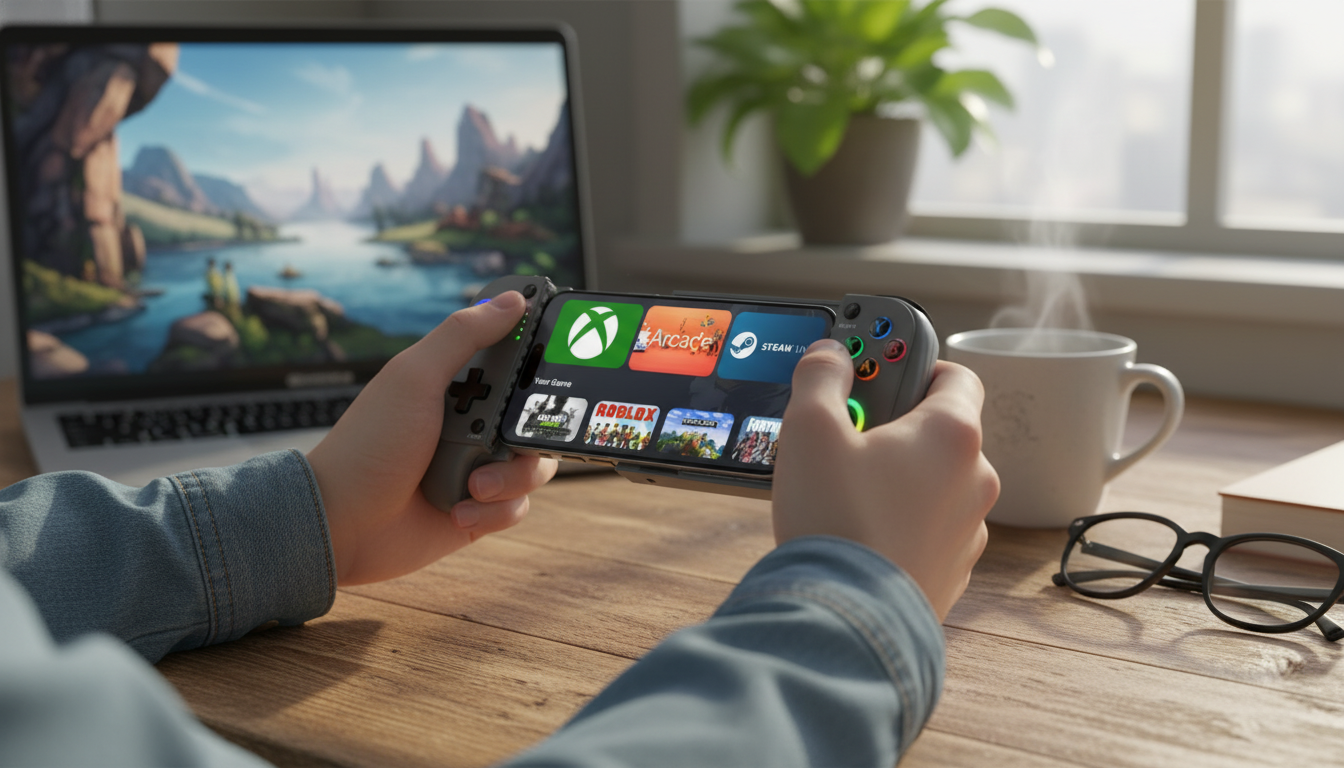
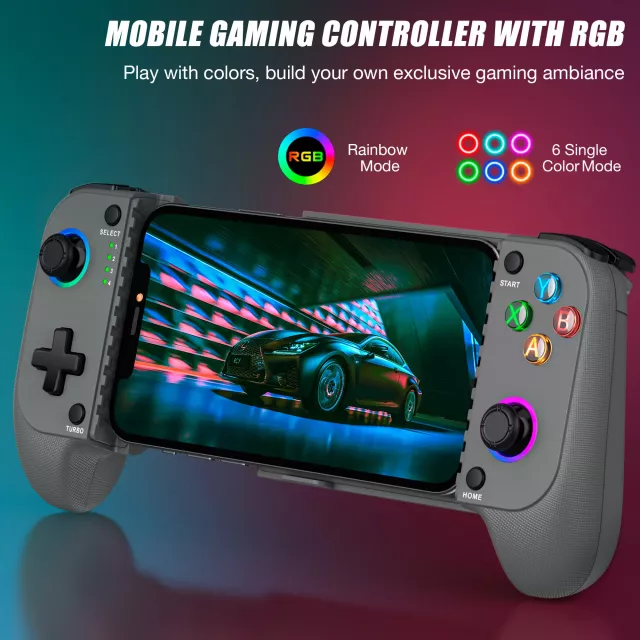
Wireless Type-C Mobile Game Controller with Hall Joystick & RGB Lighting
Mobile gaming gets a lot more enjoyable when the controls stop fighting your thumbs. A wireless mobile controller brings console-style buttons and sticks to your phone or tablet, while a modern USB‑C charging path keeps it ready for long sessions. Add Hall-effect joystick tech for smoother, more consistent stick tracking, plus customizable RGB lighting for a personalized setup that looks as good as it feels.
If you’re shopping for a reliable upgrade from touch controls, the Wireless Type-C Mobile Game Controller with Hall Joystick & RGB Lighting is designed to deliver comfortable handling, responsive wireless play, and long-term joystick consistency.
What It Is and Who It’s For
This controller is built for players who want physical inputs—sticks, face buttons, and triggers—instead of touchscreen overlays. It’s especially handy in games where precise aiming, steady steering, or fast reaction timing matters.
Best-fit player profiles
- Action shooters and battle royale players who want steadier micro-aim control
- Racing and driving fans who benefit from predictable steering lines
- Emulation and retro libraries that feel better with real buttons
- Cloud gaming users who want a couch-style experience on mobile
- Anyone doing longer sessions where grip comfort reduces fatigue
Compared with a standard Bluetooth gamepad, a mobile-first controller typically leans into portability, device-friendly pairing, and small quality-of-life details like lighting modes and modern joystick sensors.
Standout Hardware: Hall-Effect Joystick Precision
Hall-effect joysticks use magnetic sensing to measure stick movement rather than relying on contact-based potentiometers. In simple terms: fewer wear points, more consistent readings, and less chance of developing the “mystery drift” feeling over time. For a deeper background on the physics, the Hall effect is widely documented as a magnetic sensing principle (reference overview).
How it shows up in real play
- Smoother micro-adjustments when you’re feathering a crosshair onto a target
- More dependable centering, which helps movement feel “true” after hours of use
- Fewer dead-zone surprises—small inputs register more consistently
To get the most out of Hall sticks, look for adjustable dead zones and sensitivity settings in your game or controller app. A tiny dead zone can feel amazing for precision, while a slightly larger dead zone can help if a game’s input system is overly sensitive.
Feature Breakdown: What You Get and Why It Matters
| Feature | What it does | Why it helps in games |
|---|---|---|
| Hall-effect joystick | Uses magnetic sensing to track stick movement | Improves consistency and helps reduce drift over long-term use |
| Wireless connection | Plays without a cable tether | More comfortable grip and better portability |
| Type‑C charging | Charges via modern USB‑C power | Easier to top up using common phone/laptop chargers |
| RGB lighting | Illuminates the controller with selectable effects | Better visibility and personalization in low light |
Wireless Play and Connection Stability
Wireless controllers usually follow a straightforward pairing flow: put the controller in pairing mode, find it in your phone/tablet’s Bluetooth list, connect, and then confirm inputs in a controller-friendly game.
What affects stability
- Distance: Keep your phone/tablet nearby for the most consistent signal.
- Interference: Crowded 2.4 GHz environments (busy apartments, travel hubs) can increase the odds of hiccups.
- Background load: Multiple active wireless devices can compete for clean airtime.
Latency expectations depend on what you play. Turn-based titles are forgiving, but shooters and rhythm games demand immediate response. If a controller supports firmware updates, staying current can help with compatibility and stability.
Type‑C Charging and Battery Habits
USB‑C charging is a practical win because it fits the ecosystem most players already carry. USB‑C standards are maintained by the USB Implementers Forum (USB‑IF resources), and in day-to-day use it means fewer specialty cables in your bag.
Charging workflow and habits
- Charge before a ranked session or tournament block to avoid mid-match shutdowns.
- Use reputable USB‑C cables and adapters for steadier charging.
- Charge on a breathable surface to reduce heat buildup.
- If lighting is optional, dim it or switch it off when you need maximum runtime.
Controls, Ergonomics, and RGB Lighting
What to notice in your first hour
RGB lighting: style vs. stamina
Compatibility and Setup Checks
Controller support can vary by device, OS, and game. Many titles work immediately, while others require enabling controller input in settings—or they may rely on mapping tools if they weren’t designed with gamepads in mind. For a general overview of how Android handles game controllers, Android’s developer documentation is a helpful baseline (Android game controllers overview).
Common setup issues and quick fixes
Performance Tuning for Competitive Play
Care, Storage, and Troubleshooting
If you game on the go, a simple add-on like Crystal Moon & Star Car Vent Clips can help keep your setup organized in the car (especially when parked and playing), so your cable and controller aren’t sliding around your center console.
At-a-Glance Specs and Buying Notes
For players ready to upgrade from touch controls, the Wireless Type-C Mobile Game Controller with Hall Joystick & RGB Lighting balances modern stick tech and comfort-focused design without adding complicated setup steps.
FAQ
Do Hall-effect joysticks prevent stick drift completely?
They significantly reduce wear-related drift compared to contact-based designs, but they can’t guarantee drift never happens. Calibration options, firmware behavior, and mechanical factors (dust, physical damage) still matter, so setting an appropriate dead zone and keeping the stick area clean helps.
Will this controller work with any mobile game?
Not always—game support varies. Many popular titles and cloud gaming apps accept controller input right away, while others may require enabling controller support in settings or using a mapping tool if the game wasn’t built for gamepads.
Does RGB lighting reduce battery life?
Yes. Brighter settings and animated effects typically draw more power, so lowering brightness or turning RGB off can noticeably extend playtime.















Leave a comment