USB/XLR Dynamic Mic + Boom Arm: Clean Stream Audio
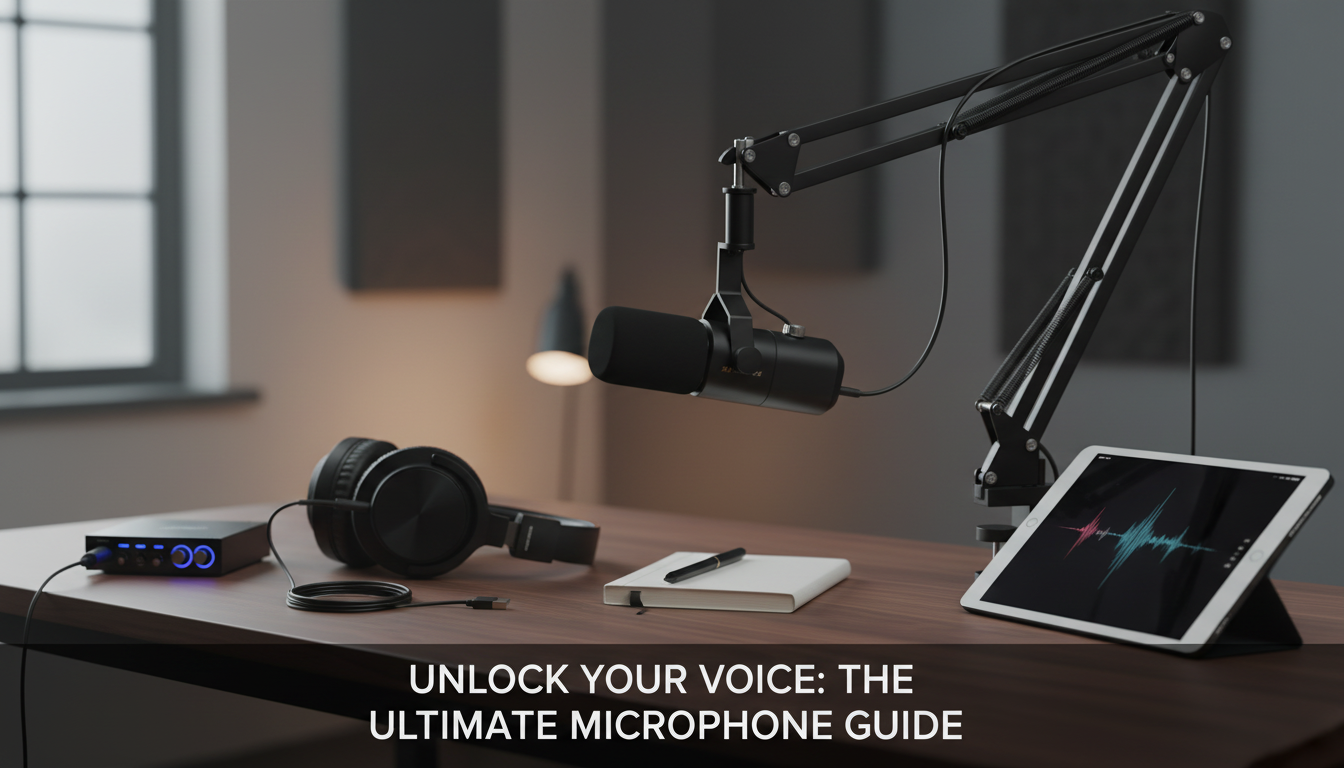
Professional USB/XLR Dynamic Microphone with Boom Arm for Streaming and Podcasting
Clean, broadcast-style voice doesn’t have to mean a complicated setup. A dynamic mic can help keep room noise under control, while dual USB/XLR connectivity makes it easy to start on a laptop and grow into an audio interface later. Add a boom arm for stable positioning, and the result is a tidy desk and more consistent sound from stream to stream.
What Makes a Dynamic Mic a Strong Choice for Voice
For streaming and podcasting, a dynamic microphone is often a practical “first serious mic” because it tends to emphasize what’s closest to it—your voice—while being less eager to grab every reflection in the room. That can translate into fewer keyboard clicks, less PC fan wash, and less of that hollow bedroom sound compared with many very sensitive condenser mics.
Dynamic mics also reward technique more than expensive add-ons. When you get close, stay consistent, and set gain once, the sound stays stable even if the room isn’t treated. They typically handle loud voices and hype moments well too, so laughs and emphasis don’t get brittle as long as you’re not overdriving the input.
A simple routine helps: speak slightly across the grille (instead of directly into it), keep a steady position, and set levels for normal speech with comfortable headroom. For a deeper overview of how mic types differ, Shure’s guide is a helpful reference: Dynamic vs. Condenser Microphones.
USB or XLR: Two Paths for One Microphone
Dual USB/XLR is popular because it matches how creators actually grow. USB is the quick start: plug into your computer, select the mic as your input device, and set your level in OBS, Discord, Zoom, Riverside, or your DAW. XLR is the scalable route: you add an interface or mixer for hands-on control, routing, and expansion—especially useful when you want multiple mics or outboard processing later.
Starting on USB doesn’t lock anything in. If you like the mic’s tone and handling, moving to XLR later keeps that familiarity while upgrading the rest of the chain. For live streams, prioritize stable monitoring and clean gain staging over chasing “studio loudness.” Clear, consistent audio that never clips will beat a louder signal that distorts.
USB vs XLR setups at a glance
| Setup | Best for | What you need | Typical benefits | Watch-outs |
|---|---|---|---|---|
| USB connection | Streaming, quick podcast starts, meetings | Computer + cable | Simple, portable, minimal extra gear | Driver/settings consistency; avoid USB hubs if issues occur |
| XLR connection | Upgrading audio chain, multi-source routing | Audio interface or mixer + XLR cable | More control, easier expansion, often better preamp options | Gain requirements; potential need for more clean gain depending on voice/interface |
| Hybrid workflow | Creators who record and stream | USB for travel, XLR at desk | Same mic across setups, consistent voice sound | Keep presets separate for each input device |
Boom Arm Benefits: Comfort, Consistency, and a Cleaner Desk
A boom arm is more than a “nice-to-have” accessory. It makes it easier to position the microphone at mouth level without blocking your screen, forcing you to hunch, or leaving the mic too far away. That comfort matters on long streams and multi-hour podcast sessions.
Setting Up for Streaming and Podcasting
Monitoring is what saves sessions. Use headphones while you set up so you can catch hum, buzz, clipping, or background noise before you record the full episode. If you’re learning a DAW, Audacity’s recording documentation is a straightforward starting point: Recording with Audacity.
Dialing In a Natural, “Broadcast” Voice (Without Overdoing It)
A practical approach is consistency over complexity: save one preset for streaming and one for podcast recording, then refine gradually over a few sessions based on what you hear in real uploads and VODs. For platform-oriented production basics, Twitch’s guidance is a useful reference point: Twitch Community Guidelines (audio and production basics).
When This Microphone Setup Fits Best
Product Options (In Stock)
- Professional USB/XLR Dynamic Microphone with Boom Arm for Streaming and Podcasting (In stock, $150.32)
- Spring Plaid Wide Padded Headband – Chic Cotton Blend Hair Accessory (In stock, $5.97)
- Retro Corduroy Hair Scrunchies & Headbands – Large, Soft & Stylish (In stock, $5.51)
Featured product: Professional USB/XLR Dynamic Microphone with Boom Arm
This dual-connection dynamic microphone is designed to keep setup simple now and flexible later. Use USB for plug-and-play on a computer, then switch to XLR when you’re ready to add an interface or mixer. The included boom arm helps keep the mic stable at the right height, making your sound more consistent while keeping the desk area clear. For the latest images, price, and availability, check the product page before ordering.
| Item | Detail |
|---|---|
| Product | Professional USB/XLR Dynamic Microphone with Boom Arm for Streaming and Podcasting |
| Price | 150.32 USD |
| Availability | In stock |
FAQ
Should USB or XLR be used for better sound?
USB is convenient and can sound excellent when your levels and monitoring are set correctly. XLR is typically chosen for expandability and routing control with an interface or mixer, so the better choice depends more on workflow than a simple “quality” label.
Do dynamic microphones need an audio interface with a lot of gain?
Many dynamic mics benefit from clean gain, especially for softer voices, so an interface with strong, low-noise preamps helps. If you can’t get enough level without hiss, switching interfaces or adding an inline gain booster in an XLR setup can solve it.
How close should the microphone be for streaming and podcasting?
A common starting point is a few inches from your mouth, aimed slightly off-axis to reduce plosives. Closer placement usually lets you lower gain, which often reduces how much room noise gets picked up.















Leave a comment